
1. Model a parent and its permitted choices
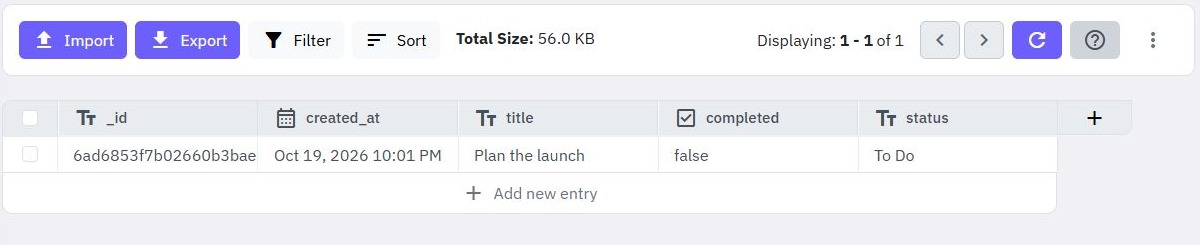
A dependent dropdown changes its available options when another selection changes. This example chooses a category, then a product in that category. Create synthetic categories Stationery and Packaging, with one sample product in each. Each product references its category using a stable identifier.
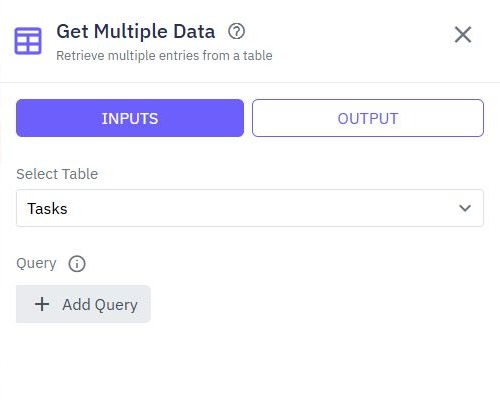
Prepare bounded read endpoints returning only option IDs and labels. Apply customer or staff scope on the backend when options are private. Do not return the whole product table, supplier costs or account data simply to populate a label. Use related-table reads for the underlying relationship.
2. Bind labels and values to page variables
In the page editor, add category and product dropdowns inside the form. Define page variables for the category list, product list and current selections. Configure each dropdown's data source and mapper so the readable name is the label and the stable record identifier is the value.
Do not use a mutable label as the submitted foreign key. An illustrative option is {"label":"Sample notebook","value":"PRODUCT_ID"}; adapt the mapper to your endpoint's actual output. The data source mapper tutorial shows the binding concept, while page variables explains state.
3. Clear the child before loading its new options
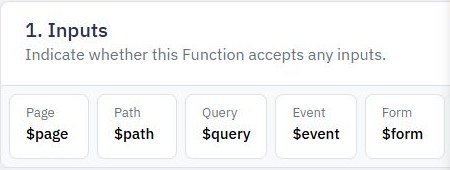
Connect the category's change action to a page function. Clear the selected product and old options immediately, set a loading state, and request the selected category's products. Map the selected ID to the endpoint query explicitly. Adding an input alone does not filter a database read.
Keep the product control unavailable while loading and show an empty-state explanation when there are no options. A failed request should clear the loading state and offer a retry without restoring an invalid old selection. Use bounded filtering so a dropdown does not become an unbounded table download.
4. Prevent a slow response replacing newer choices
Rapidly choosing category A and then B can produce responses in the opposite order. Give each request a sequence value, or retain the category ID associated with it. Before storing a result, confirm it still belongs to the current selection. Discard outdated results instead of assuming request completion order.
Implement the guard in your page function using its state and condition controls. Disabling selection while pending is another explicit design choice, but still reset the child value. A screenshot of page variables illustrates these controls; it is not evidence that the request-order guard has been built.
5. Validate the pair when saving the form
On submission, the backend must check that the product exists, is available to the caller and belongs to the supplied category. A browser dropdown is not a security boundary. Reject a product from another category even if it is a valid record ID.
For an existing record, load its saved product first and handle a product that was archived or removed. Do not silently replace it with the first available option. Preserve a useful explanation and require a new valid selection. Link the save function to field-level validation feedback.
6. Test changes, empty lists and edited records
Check initial loading, a category with no products, rapid A→B changes, network failure and editing a saved record. Submit a forged pair directly to the endpoint and verify rejection without a write. Test keyboard selection and a narrow layout with long labels.
The successful result is one saved record with a valid relationship and a matching visible selection after reload. Publish the page and endpoint deliberately and repeat the journey. Explore the web app builder for the surrounding interface and account workflow.
Go deeper
Supporting documentation
Find the configuration details and reference material behind this page.