
1. Separate field errors from request failures
This guide focuses on the page experience after a form is submitted. Start with a synthetic enquiry form containing name, email and message, plus a backend that validates it. Follow request validation for backend rules; browser-only validation is insufficient.
Define three visible outcomes: a field needs correction, the operation failed without a known field error, or the save succeeded. Keep permission/session failure distinct where the user needs to sign in again. Avoid reporting every failure as an invalid email address.
2. Agree a safe response contract
Inspect the endpoint's real validation response first. If you need a field-errors map, implement that contract deliberately and map it in the page function; do not assume the Validate command generates this exact JSON:
{
  "message": "Check the highlighted fields.",
  "field_errors": {
    "email": "Enter a valid email address."
  }
}
Return only safe messages and allowlisted field names. Keep stack traces, raw database errors and account existence details out of the interface. Use a controlled adapter when different endpoints return different error shapes.
3. Bind feedback to the form and its fields
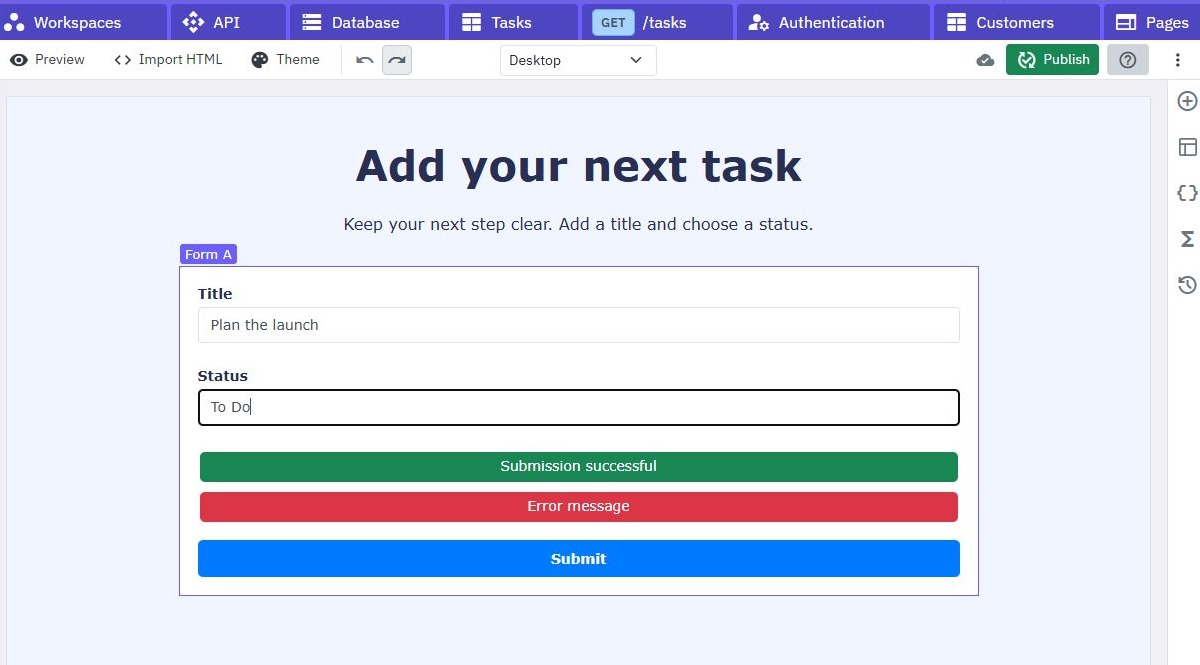
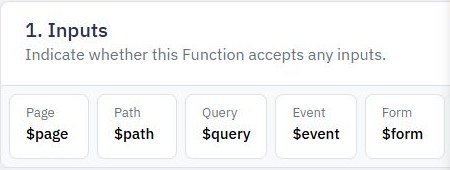
Add message elements beside the relevant inputs and a form-level summary. Use page variables to hold safe field errors, the general message and pending state. Connect the form submit action to a page function that reads the named fields, sends the request and maps the outcome.
Keep the inputs inside the form and give them stable names matching the mapping. Preserve entered values after a rejected submission. Clear obsolete messages when starting a new attempt or correcting the related field, but keep an explanatory summary until the outcome is clear. See the form tutorial for input collection.
4. Handle pending, success and uncertain outcomes
Prevent repeat submission while a request is pending and restore the action after either success or failure. Do not display success merely because a button function ran. Require the agreed successful response and, where useful, its saved-record identifier.
A network timeout may leave the save outcome unknown. Explain that uncertainty and check for an existing submission before encouraging blind retries. For important submissions, design duplicate prevention explicitly. Do not erase the entered message on a failed request; clear or navigate only after confirmed success.
5. Make errors understandable without colour
Use concise text naming the problem and how to fix it. Associate feedback with its input using the accessibility controls or attributes supported by your elements. Where supported, connect descriptions and invalid state; otherwise ensure a readable summary and clear labels remain available. Do not rely solely on a red border.
Keep keyboard focus predictable, and test the rendered page with keyboard navigation and a screen reader. If your page setup supports focusing the first invalid input, use that deliberately. Avoid moving focus repeatedly as a user types. Long errors and translated labels should fit a narrow viewport.
6. Test recovery, not just rejection
Submit a blank form, malformed email, excessive message length, valid input, an expired session and a simulated network failure. Correct one field and resubmit. Confirm the old error clears, valid entries remain and exactly the intended record is saved.
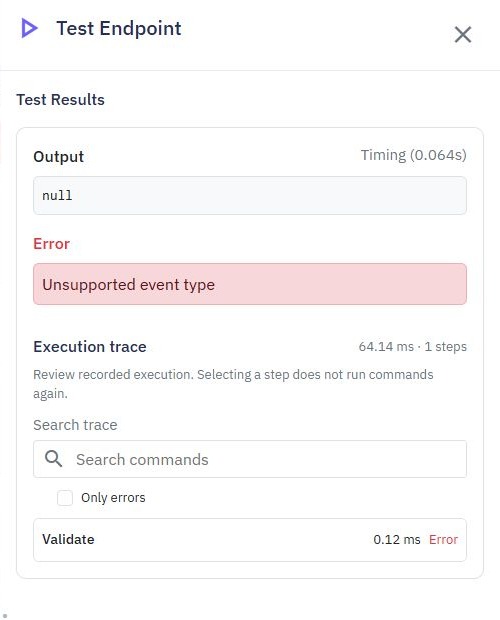
Test unknown error fields and an unexpected response body: show a safe general message instead of exposing raw output or crashing the page. Continue with multi-step forms or lead capture once the single-step experience works. Screenshots illustrate existing controls and isolated validation, not an executed enquiry journey.
Go deeper
Supporting documentation
Find the configuration details and reference material behind this page.