

Make your application’s next action work
Your interface needs to save a task, show a customer’s records or fetch information from another service. An API connects that action to the work behind it. Twidget lets you define that work as a sequence of commands, with explicit request inputs and a response you control.
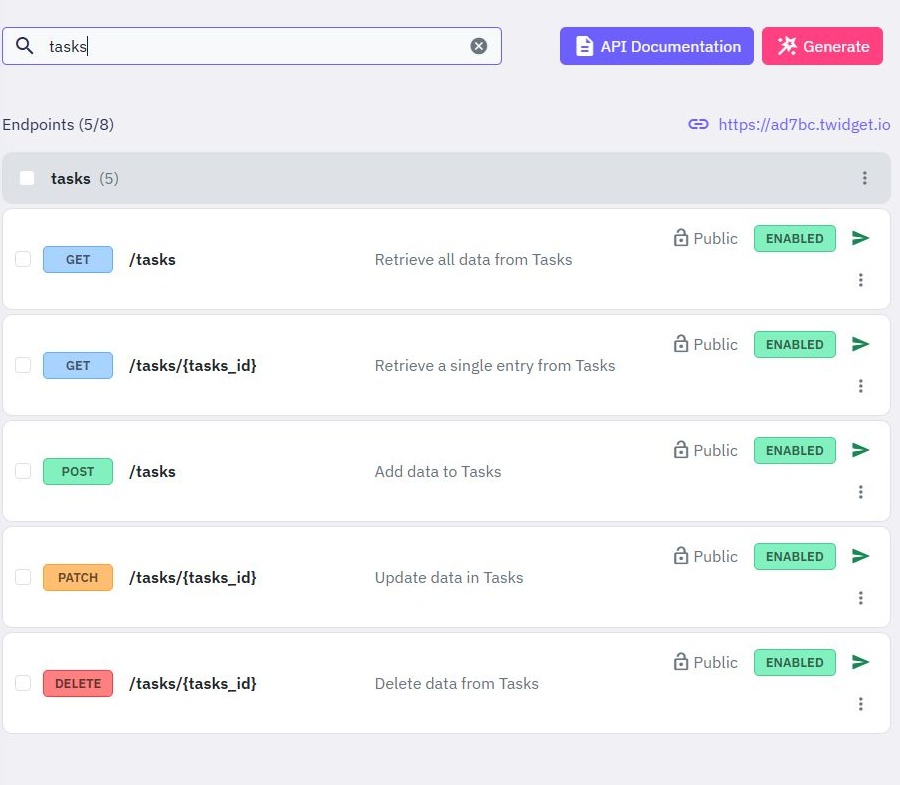
Start with a generated database endpoint when the job is straightforward. Create a custom endpoint when you need your own sequence: check the request, find a record, apply a condition and return the fields your interface needs. Follow the REST API guide to build a small task API before connecting a larger application.
Define inputs, add logic, inspect the result
- Choose the request. Give the endpoint a name and path. Define the body, query parameters, headers, files or path variables it accepts.
- Build the workflow. Add database commands, conditions, authentication checks or an external HTTP request. Use command outputs as inputs to later steps.
- Shape the response. Select the status code and return the data the caller needs. Keep internal fields out of the public response.
- Test and publish. Supply sample inputs in Run & Test, inspect the result and add assertions. Publish the reviewed workflow when you are ready to use it.
For a task-creation endpoint, that might mean receiving a title, checking that it is present, saving the task and returning its identifier. The same endpoint can serve a Twidget page or another frontend that can send HTTP requests.
Generate the routine parts, then adapt them
Generate create, read, update and delete endpoints from an existing table, then inspect their inputs and commands. This gives you a starting workflow that you can understand and change. The CRUD API guide explains how a table becomes an API and what to check before exposing it.
Authentication generation provides account workflows such as signup, login and password recovery from an authentication table. Add authentication to the endpoints that need it, then enforce which records the signed-in customer can access. Logging in establishes identity; your endpoint logic must still decide what that customer is allowed to read or change. Work through the signup and login guide to connect those pieces.
Connect another service and see where a request fails
The external HTTP request command supports a URL, method, parameters, headers, body and timeout. Its response includes the status, headers and returned data, so later commands can handle a failed request or map the response into your own format. See the external API guide for the workflow.
During development, use execution tracing in Run & Test to inspect the commands that ran and locate an error. Assertions let you check expected outcomes rather than relying only on a successful-looking response. Test missing inputs, unknown record IDs and unauthorized access as well as the successful path.
Start with a synthetic webhook receiver to handle incoming events, add request validation and useful errors before dependent actions, then connect a React task list to a read API.
A practical fit for data-driven applications
Twidget suits builders who can describe their application’s rules and want to implement them visually. You still design the data model, choose validation rules and test access control. No-code changes how you express the workflow; it does not make those product decisions for you.
If you also need storage, files and scheduled work, explore the no-code backend. If you need the interface too, explore the web app builder. Check current plans and allowances against your expected usage, then begin with one endpoint that solves a real task.
Go deeper
Supporting documentation
Find the configuration details and reference material behind this page.