
1. Choose which filters belong in the URL
Use this pattern for a link such as /tasks?status=open&page=1 that restores a list view. Keep simple, non-sensitive choices in the URL: an allowed status, sort key and bounded page position. Avoid tokens, customer details, private free-text searches and fields that should not enter browser history or referrer logs.
You need a page with a working paginated table and an endpoint whose permitted filters are explicit. This guide manages page navigation state; it does not replace the backend filtering rules.
2. Read and normalize the query values
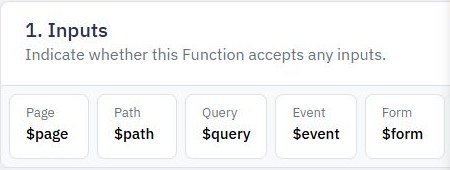
Use the page query context, such as $query.status, through the value selector or page function. The documented text binding can display a query value, but request inputs remain untrusted even when they came from a link your app generated.
Define defaults and allowlists. Accept only known status and sort values, parse a page number deliberately, and bound its range. Decide how to handle absent, empty, repeated and malformed parameters. A text value of zero is not automatically a usable first page. Watch query parameters in Pages for where the context appears.
3. Load the view through the bounded endpoint
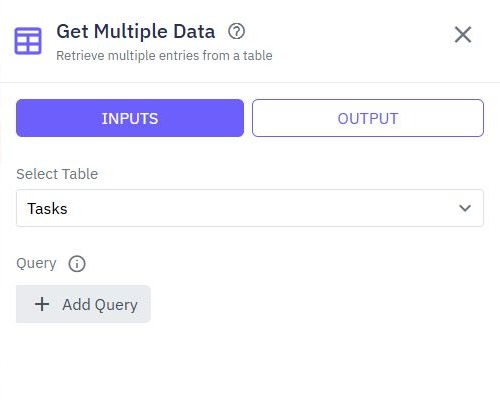
Initialize page state from the normalized values, then call the list endpoint with its actual input names. Connect those values to query conditions explicitly. Adding a query parameter does not automatically change the database query or a table's local data.
Keep owner, organization and authorization checks inside the backend. A URL parameter such as owner_id must not replace verified identity. Return only the fields the table needs. If a filter produces no matches, show a successful empty view rather than resetting silently to a broader dataset.
6. Check a small link matrix
| Link case | Expected application behavior |
|---|---|
| No query | Documented default view |
| Allowed status and page | Matching controls and bounded result |
| Unknown status or negative page | Explicit normalization or useful error |
| Copied link as another user | Their permitted records only |
Also test encoded punctuation, blank values and rapid changes. Verify the backend request as well as the visible table. Use path parameters when the link identifies a single resource rather than a filtered collection.
Go deeper
Supporting documentation
Find the configuration details and reference material behind this page.