
1. Choose one route and a stable identifier
Create a detail page for a task, ticket or other record. Start with a working authenticated read endpoint and two synthetic records owned by different users. This example uses a page path such as /tasks/{task_id}, adapting the parameter name to the route editor's actual configuration.
The identifier selects a resource; it does not authorize access. Keep private names, email addresses and tokens out of the route. One reusable page should render the permitted record rather than requiring a separate saved page for every row. This pattern complements the customer portal guide.
2. Map the page path value into the request
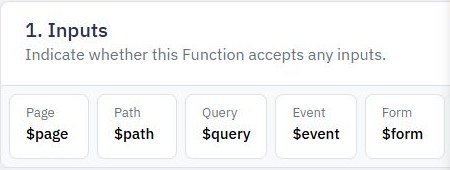
Use the path context in the page's value selector or function input mapping. The documented reference follows $path.task_id; the name must match the configured route. Displaying that value in a temporary synthetic label can help check routing before you connect the backend.
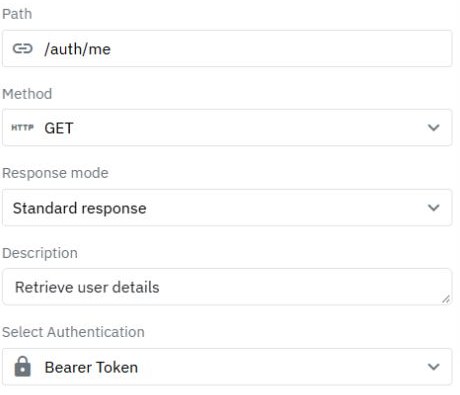
Pass it into the read endpoint's configured input. Page path variables and the API endpoint's path variables are separate configurations. Watch page path parameters for the page context, and compare the actual API request before assuming a successful mapping.
3. Resolve the record under the caller's scope
The backend combines the requested ID with the authenticated customer's permitted scope. Return an explicit allowlist of detail fields. Do not return all users or all tasks and filter in the browser. Follow user-specific API data for ownership rules.
Choose a consistent response for a missing or inaccessible record without exposing private existence details. Add state such as archived where it affects visibility. A page title showing Task details and a valid login token are not evidence that the record-level boundary has been checked.
4. Render loading, unavailable, error and ready states
Initialize a loading state before the read and hide stale detail content. Populate the view only from a successful allowed response. Show an unavailable state for the contract's missing/inaccessible outcome; show a recoverable error for a timeout or unexpected server response.
Bind the title, status and other selected properties from the record variable. Treat record text as text rather than executable markup. If the application changes the selected ID without a full reload, discard late responses belonging to the prior ID. Never display customer A's old record while customer B's request is pending.
5. Connect list rows and edit actions
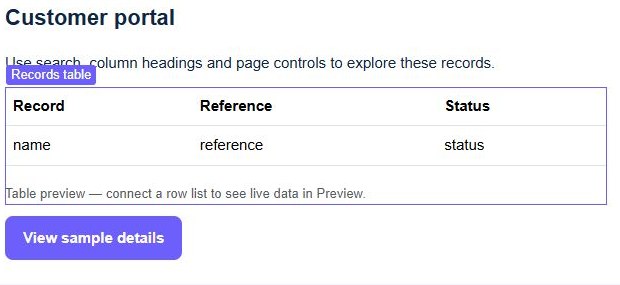
Build each detail link from the row's actual stable identifier and the configured page route. Encode dynamic values correctly. Do not use the table index or a mutable record title. Provide a useful return link, optionally retaining a non-sensitive validated list filter.
Open the edit form with the same record ID, but authorize its save independently. Hiding an Edit button is a presentation choice; the write endpoint still enforces access. An archived or concurrently removed record also needs a deliberate response.
6. Test direct links and cross-user requests
Copy a synthetic detail URL into a fresh tab, refresh it and verify the same permitted record loads. Test an unknown ID, malformed value, missing parameter, logged-out access and the other user's record. Inspect responses to ensure private data was not delivered before being hidden.
Publish the reviewed page and API, then repeat direct navigation on the published address. If the preview works but refresh fails, compare the published route, path name and environment. Continue with a bounded table to make the detail view discoverable.
Go deeper
Supporting documentation
Find the configuration details and reference material behind this page.