
1. Keep the credential out of the page
A private provider key belongs in the backend workflow that calls the provider, not a page variable, URL, form default or public JavaScript. Prepare a development workspace and a restricted provider test credential when you are ready to execute the integration. This guide uses only placeholders; do not paste a real credential into shared screenshots or test fixtures.
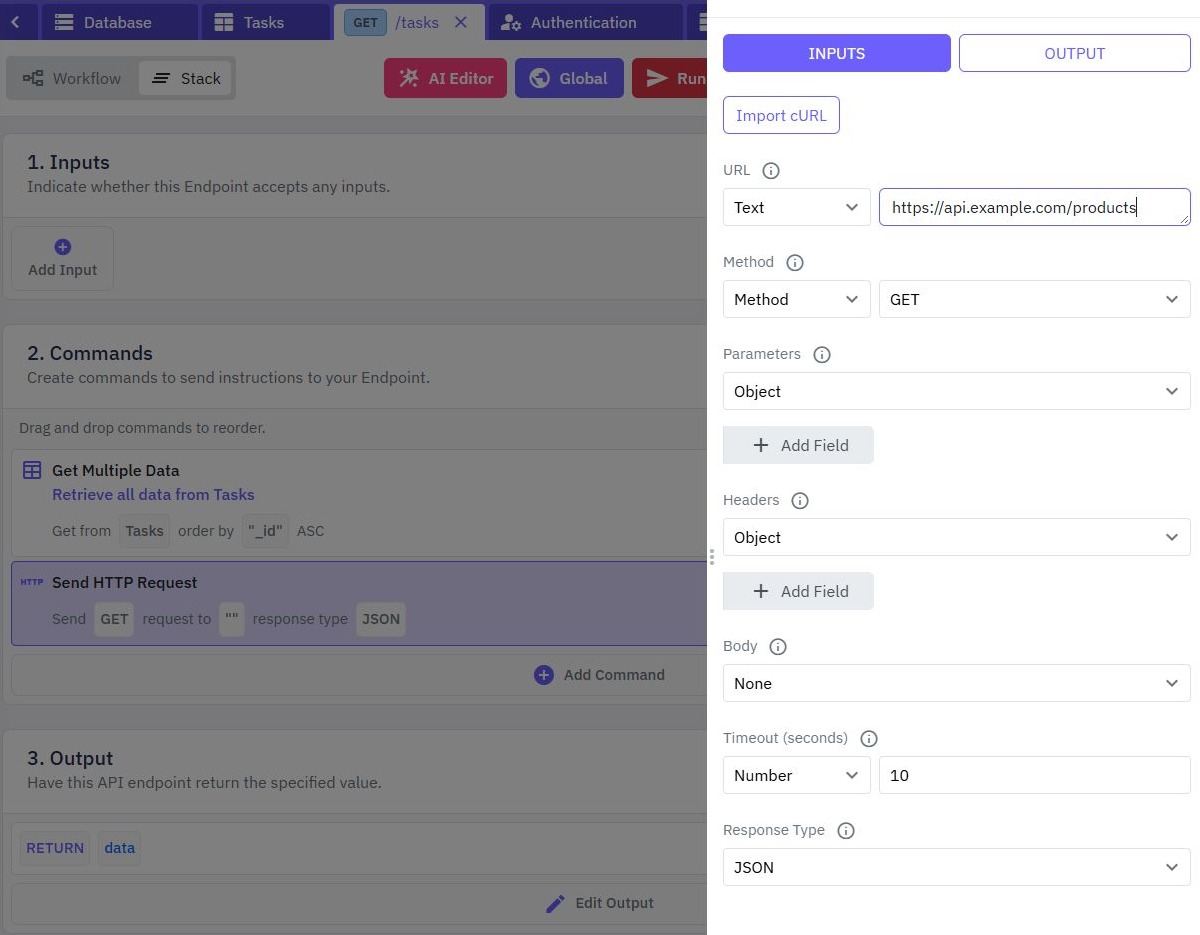
The frontend calls your protected endpoint. That endpoint validates the application request, authorizes the caller and performs the provider call. Start with an external HTTP workflow if you have not configured one yet. A server-side request is a boundary you must preserve in its inputs and output.
2. Save a deliberately named global variable
Open Global (the Globals and secrets control) in the backend builder and add a Text value such as provider_api_key. The maintained documentation describes Text globals as encrypted and hidden by default. Keep the value concealed while reviewing the configuration; hiding an editor value does not make it safe to return through an endpoint.
Reference it through the backend's $global selector. Globals are configuration values, rather than a place for per-customer state or a mutable counter. Do not remove existing globals or replace the complete configuration while preparing one integration. If the editor reports a load/decryption error, resolve it before saving changes.

3. Map the credential into the provider request
Configure the backend HTTP command's URL, method and authorization according to that provider's current official API reference. If it expects a bearer key, map the global into the appropriate header. Do not assume all providers use the same header or token format.
Keep the destination under application control. Accepting an arbitrary browser-supplied URL or authorization header can send the key somewhere unintended. Allowlist useful request fields, apply input bounds and validate the caller before spending provider quota. Keep a provider credential separate from the customer's Twidget authentication token.
4. Return only the result the interface needs
Map selected provider result fields into your endpoint output. Avoid echoing request headers, credential-bearing objects or raw exception messages. A provider error should become a useful application message without exposing the private request configuration.
Review execution traces, logs, test assertions and error output for potential credential disclosure. Do not assume every diagnostic surface automatically redacts every secret. Use a controlled test value initially so you can check the mapping before running a real provider call. Watch globals and environment-specific secrets for the product workflow.
5. Prepare production values separately
Use distinct restricted test and production credentials in their corresponding workspaces. Prepare the required global names and types before promoting a workflow. Twidget's release documentation states that global values are not moved by workflow promotion; the destination retains its own saved values.
Review which deployed workflows use a key before rotating or revoking it. Coordinate the provider-side change and destination configuration, test the new credential, then retire the old one according to the provider's supported process. Do not treat a changed builder draft as proof that a published endpoint uses the new value.
6. Check denied requests and disclosure paths
Test with a harmless placeholder or restricted test key, then inspect successful and failed endpoint responses, browser requests and relevant logs. The browser should never receive the provider key. Call without a customer token and as a user lacking access; both should be rejected before protected provider work.
Test a missing global, an invalid provider credential and a provider timeout. Keep those failures distinguishable in internal diagnostics while returning safe client messages. Follow workflow debugging for diagnosis and Dev-to-Prod release for publishing. No provider credential was entered or tested to illustrate this article.
Go deeper
Supporting documentation
Find the configuration details and reference material behind this page.