
1. Define the questions the history must answer
An application audit log can explain who changed a task, approval or support ticket and what happened. It is a separate database feature you design; execution traces are for debugging and do not replace durable business history. This guide does not establish a tamper-proof log, regulatory compliance or a platform-wide audit service.
Choose one action to begin, such as changing a task from open to complete. Decide whether you need the previous status, the new status, the verified actor, the server timestamp and a request reference. Avoid storing entire request bodies, passwords, bearer tokens or unrestricted customer profiles.
2. Create a minimal event table
Create an audit-events table containing the subject type and ID, action, actor ID, timestamp and explicitly selected before/after fields. Use a server-generated request reference if your design needs correlation. The following is an illustrative event shape, not a built-in output:
{
  "subject_type": "task",
  "subject_id": "SAMPLE_TASK_ID",
  "action": "status_changed",
  "before": "open",
  "after": "complete"
}
Add indexes for the access paths you actually need, such as subject and timestamp. Keep audit reads bounded and authorized. See related data for connecting the event to its subject without exposing unrelated account fields.
3. Write the change and its event together
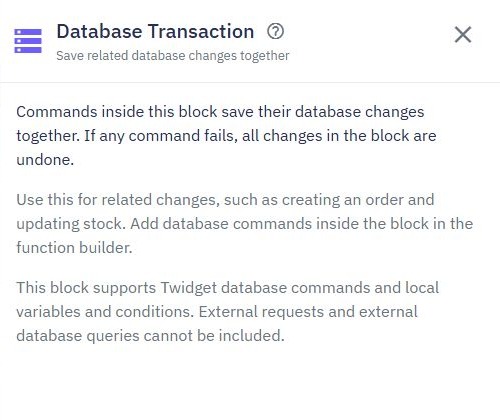
In the protected mutation endpoint, resolve the authenticated actor and authorize the target record before changing it. Read the fields needed for the before state. Use a Database Transaction for supported record update and audit insertion when both must succeed together. Confirm transaction support in your environment.
Write the actor and timestamp from backend context. Keep email, HTTP calls and other external actions outside the transaction; rollback cannot undo them. Read Save changes together for supported operations. A transaction does not automatically solve concurrent before-state reads or duplicate retries; those require their own tested policy.
4. Expose a read-only, scoped history
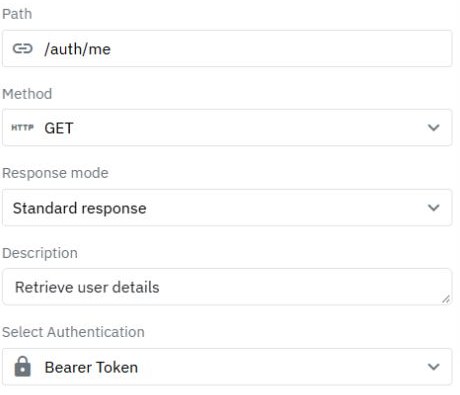
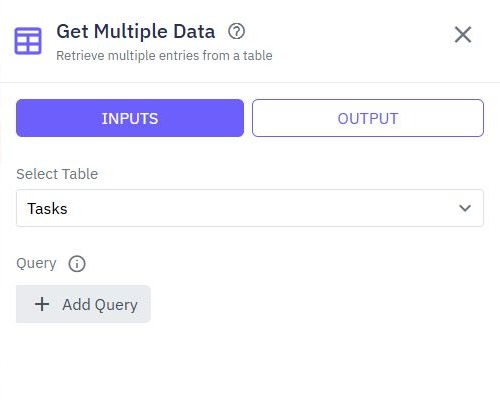
Create a read endpoint that first checks whether the caller can see the subject, then returns only permitted event fields. Sort by time with a consistent tie policy and bound the page size. A user should not gain access to another customer's audit history by changing a subject ID.
Keep ordinary app users from rewriting or deleting the event table. Distinguish app permissions from workspace administrator access: administrators and retention jobs may still change stored data. Define retention and authorized maintenance honestly. If your need includes external immutable storage, design and assess that separately.
5. Test success, rollback and retries
Change one synthetic task and verify exactly the intended event is returned. Deliberately fail the audit insertion in a test copy and verify the task update rolls back. Then fail the task update and verify no success event remains. Do not use real production records for failure injection.
Retry the same request and decide whether a repeated no-op should create a second event. Send two competing updates and compare the events to final state. If your implementation cannot establish a reliable before value under concurrency, narrow its claims or strengthen the write strategy before relying on it for decisions.
6. Add history to the record detail view
Show the action, time and a safe actor label next to the relevant record. Preserve the event time separately from its display format. Handle an empty history and denied access explicitly. Refresh after a successful mutation, using the server's result rather than a client-invented event.
Connect the pattern to approvals or archive and restore. The database commands tutorial helps locate the primitives; the log's completeness and access rules remain your application's acceptance checks.
Go deeper
Supporting documentation
Find the configuration details and reference material behind this page.