
1. Define a small endpoint journey
Start with create request → retrieve request → update status → retrieve again. Write down the expected status and body fields for each response before configuring assertions. Add authentication as a separate deliberate part of the journey when the endpoints require it.
Suites use published endpoint versions and one isolated database shared across that run's steps. Your editor login does not bypass customer authentication. Publish intended source changes first. For a starter endpoint lifecycle, use the CRUD guide; for protected requests, prepare the login flow.
2. Create a suite with clear step aliases
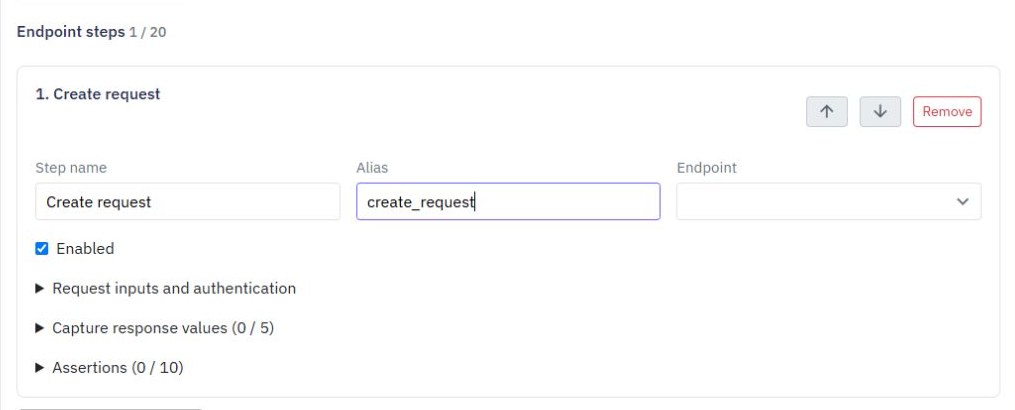
Open Test & monitor → Test suites and select Create suite. Give it a useful name, add run inputs and optionally add synthetic starting records for an existing table. Choose Add endpoint step for each operation and assign unique aliases such as create_request and read_request.
Order the steps so later requests only refer to earlier results. Keep Stop main steps after the first failure enabled for a focused initial suite. Avoid combining unrelated workflows just to increase the step count. A short journey should make the first unexpected response easy to identify.
3. Capture IDs and authenticated values
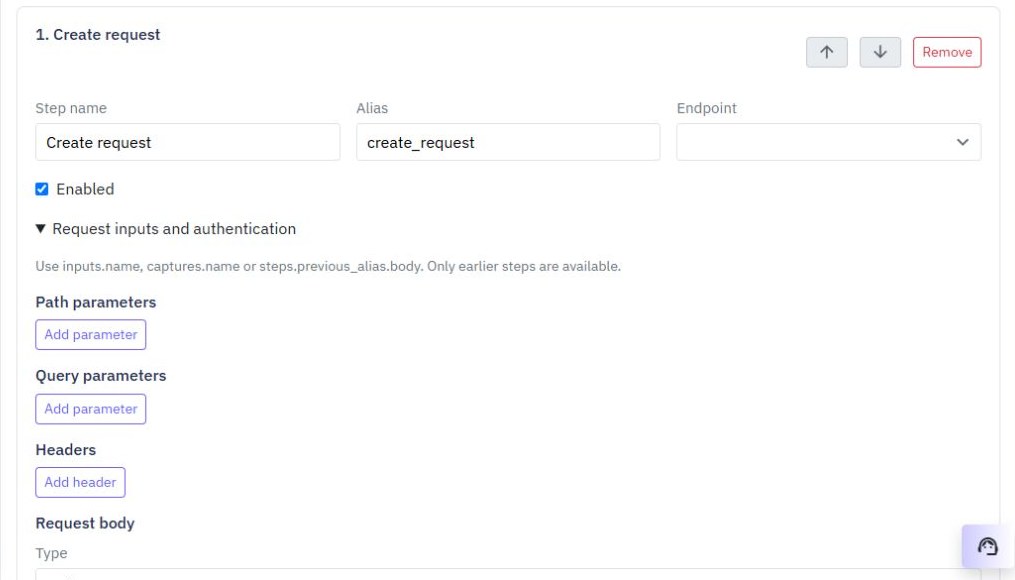
Expand request inputs to set the actual path, query, headers and body. After creation, capture the record ID from the real response path, such as body._id if that matches your endpoint. Reference captures.request_id in the later read. Do not assume every generated endpoint returns the same wrapper.
For customer authentication, sign in through your login endpoint and capture its actual token response path. On protected steps, choose Customer bearer token and reference the captured value. Saved authentication uses a reference rather than a pasted live token. Supply sensitive test inputs at run time and keep them out of default values, public screenshots and recorded examples.
4. Assert the business result
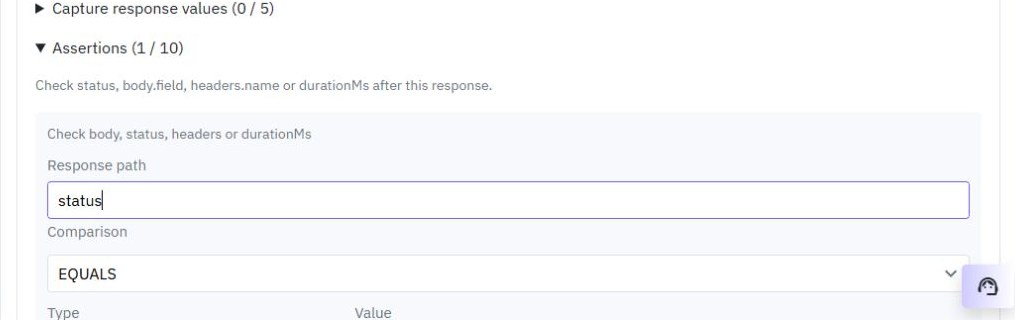
Add assertions for the actual HTTP status and the important body fields. For a new request, check the returned title and initial status. After updating, assert the persisted new status on a subsequent read. A 200 response with an incorrect record should fail the test.
Suite assertions use response paths such as status or body.status, not the result prefix used by an individual saved function test. Add a separate negative journey for missing required data or denied access. Keep expected validation failure distinct from an accidental server error. The validation guide provides cases worth testing.
5. Run and inspect cleanup
Choose Save suite, then Test, enter run inputs and select Run suite. Review each step's response status, duration and assertion results, plus the separate main-step and cleanup outcome. Isolated database cleanup: Confirmed means the temporary database was removed.
Use cleanup steps to exercise your delete endpoint where that belongs in the journey. They are attempted after main steps, including failures or cancellation; they do not replace reviewing the run's cleanup status. An interrupted result needs investigation before rerunning. Saved history records outcomes rather than retaining customer tokens and full response bodies.
Prefer to follow the controls on screen? Watch the existing tutorial: save and run a multi-step suite.
6. Keep external effects in separate checks
Suites support isolated endpoint journeys, not live provider integrations. External requests, email, file storage, shared cache, realtime, background jobs and streaming are unavailable, and database-change triggers do not run. Test those features separately using controlled data and the appropriate editor or integration checks.
Keep this suite as a regression check before a reviewed release. When a command fails unexpectedly, use tracing and debugging to inspect a focused individual test. A passing isolated suite verifies its assertions and published workflow versions; it does not certify production configuration or an entire frontend journey.
Go deeper
Supporting documentation
Find the configuration details and reference material behind this page.