
1. Choose archive semantics before changing Delete
Soft deletion keeps a record while removing it from ordinary use. This example archives synthetic tasks and lets an authorized owner restore them. It is an application workflow you build with database fields and commands, not an automatic Twidget recycle bin. It also does not erase personal data from storage or backups.
Decide which users can archive, who can view archived records, and whether references to an archived item remain readable. Separate a reversible archive action from any permanent retention process. Begin with a working CRUD API in a test workspace.
2. Add archive fields with a migration rule
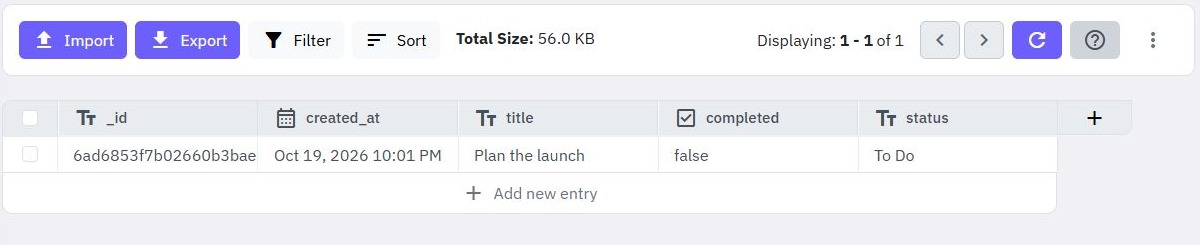
Add an explicit flag such as archived, plus optional archived_at and archived_by fields. Assign false to existing active records deliberately; missing and null values may not behave like false in your query. Test legacy records before changing the live list filter.
| Sample task | Owner | Archived |
|---|---|---|
| Prepare launch | A | false |
| Old draft | A | true |
| Other customer's task | B | false |
Use these three cases to check both visibility and ownership. Timestamps and actor identity should come from trusted backend context.
3. Apply the rule to every read path
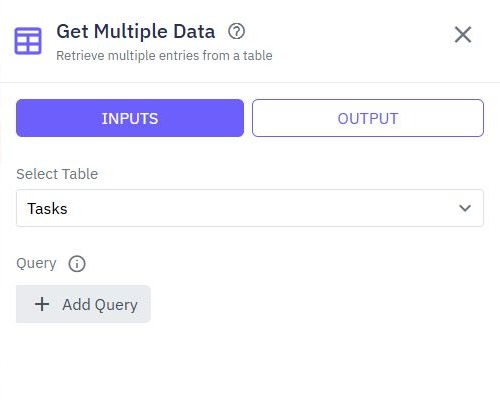
In Get Multiple Data, combine the verified owner condition with archived = false for the active list. Apply the same policy to detail reads, searches, counts, exports and related-record outputs. A hidden table row does not prevent access by a guessed record ID.
Provide a separate authorized archived list if restoration is part of the product. Do not let an ordinary query parameter remove the owner condition. Review filtering and pagination for bounded lists and user-specific access for the security boundary.
4. Replace destructive actions with controlled updates
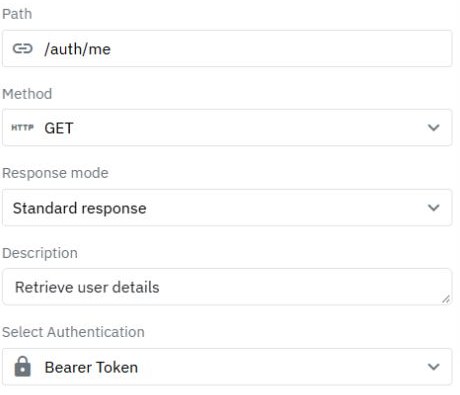
Create an authenticated archive operation that resolves the record under the caller's permitted scope, then uses Update Data to set the archive fields. Reject or safely handle an already archived item according to your contract. Do not trust an owner or actor identifier supplied by the browser.
The restore operation checks permission again and clears the archive state. Define how it handles a conflict, such as a unique name already reused by another active record. A soft-deleted row still exists, so a database unique index may still cover it. Do not assume archiving frees unique values.
5. Verify the complete archive lifecycle
As user A, archive Prepare launch and confirm it disappears from ordinary list and detail access while remaining in the permitted archived view. Restore it and confirm the original identifier and relationships remain. As B, try both actions against A's record and verify denial with no mutation.
Check repeated archive, repeated restore, missing record, legacy null flags and export behavior. Inspect the table after every rejected request. If the interface still shows a row after success, reload the authoritative list and check caching rather than weakening the server filter. Watch database filtering for query controls.
6. Make the interface and retention policy clear
Label the action Archive and provide a useful recovery path. Show success only after the update response, and distinguish permission failure from network failure. Disable repeat clicks while pending. The task app guide provides the surrounding form/list pattern.
Document separately who can permanently remove archived records and when. An archive flag should not be described as erasure or guaranteed recovery. Add an audit event if your app needs a history of who archived or restored a record.
Go deeper
Supporting documentation
Find the configuration details and reference material behind this page.