
1. Choose what a request means
This example collects a request for a meeting room, then lets staff confirm or decline it. Use the web app builder to connect the customer form and staff review interface. A submitted request is not a guaranteed reservation. Tell the customer that clearly in the form, confirmation screen and any email. Use a synthetic room such as Demo room A and a future one-hour interval.
Define the resource, duration, capacity and time zone before building. This guide uses a single resource per request and no payment collection. If instant guaranteed booking is required, you need a verified concurrent allocation mechanism; a calendar-looking interface alone does not provide one.
2. Store resource, time and status explicitly
Create a resources table with a name and enabled state. Create booking requests with resource reference, authenticated requester reference, start instant, end instant and status. Use pending, confirmed, declined and cancelled. Store a consistent time representation and display the relevant time zone beside the fields.
Validate that the resource exists, the end follows the start and the interval is within your policy. Treat adjacent intervals consistently: for example, a booking ending at 11:00 may allow the next to start at 11:00. For overlap checks using half-open intervals, an existing confirmed booking conflicts when its start is before the requested end and its end is after the requested start. Verify this rule against your actual stored types and query behavior.
3. Build the request form and staff list
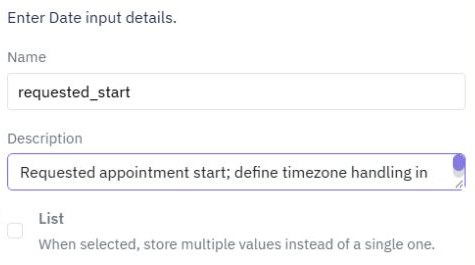
Create a page with a form for resource, requested start/end and an optional purpose. Use clear field names and show the time zone before submission. Page forms collect inputs nested inside the form; check the actual submitted values instead of assuming a label supplies the field name.
For staff, adapt a Records manager starter to show pending requests and their intervals. Keep the customer view scoped to that customer's requests, following the portal guide. A starter's sample records illustrate layout; replace demonstration actions with your reviewed endpoints.
4. Separate submission from confirmation
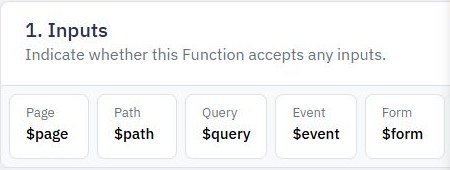
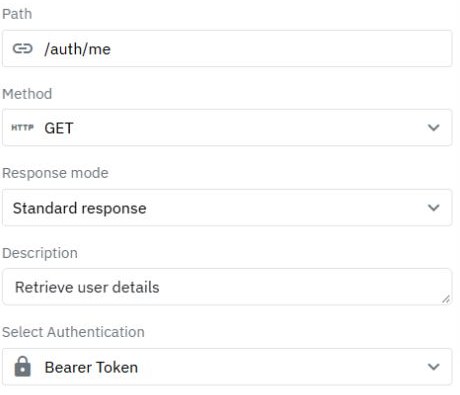
The submission endpoint should authenticate the requester, validate the interval and save a pending request. A separate staff-only confirmation endpoint must read the current state and check the applicable resource rules again. Do not trust availability fetched when the customer first opened the page.
Two staff members can confirm overlapping pending requests at nearly the same time. A read followed by an unconditional write is insufficient. Use a concurrency strategy supported by your backend and prove that conflicting concurrent confirmations cannot both succeed. If you have not verified that guarantee, retain a manually reviewed request process and avoid claiming automatic capacity enforcement. The approval guide covers controlled decisions, but scheduling adds interval conflicts.
5. Test time boundaries and competing requests
Submit one pending request and verify that the customer sees pending after reload. Confirm it as authorized staff, then test an overlapping request, an adjacent interval, an end before start, a disabled resource and a customer trying to confirm their own request directly. Check signed-out and foreign-customer access too.
Test time-zone conversion around a daylight-saving change where relevant, and run two competing confirmations deliberately. Expected results must match the documented capacity policy. These checks remain acceptance requirements until executed; editor screenshots do not prove conflict prevention. If an interval shifts on display, inspect the stored value and formatting time zone before changing the stored request.
6. Release clear status and cancellation behavior
Define who can cancel a pending or confirmed request and whether cancellation releases capacity immediately. Return the current stored status after each action. If another staff action has already changed it, show that result instead of silently overwriting it.
Publish reviewed versions and repeat one controlled submission, confirmation and cancellation on the released URLs. Add a transactional message only after confirming the save behavior; its wording must distinguish received from confirmed. Use a multi-step form if collecting longer booking details would otherwise overwhelm the initial request.
Go deeper
Supporting documentation
Find the configuration details and reference material behind this page.