
1. Choose one transactional message
Start with a confirmation after a customer request is saved, or a decision notification from an approval workflow. Define the event, recipient, subject and minimum useful message. Keep marketing subscriptions and unrelated campaigns out of this workflow.
Use a controlled test recipient and synthetic request data. A reserved example address is useful in a configuration screenshot but cannot prove delivery. Obtain access to an appropriate mail provider and sender before live testing. Do not expose SMTP passwords, tokens, reset links or customer information in screenshots or browser-visible page settings.
2. Configure Send Email on the server
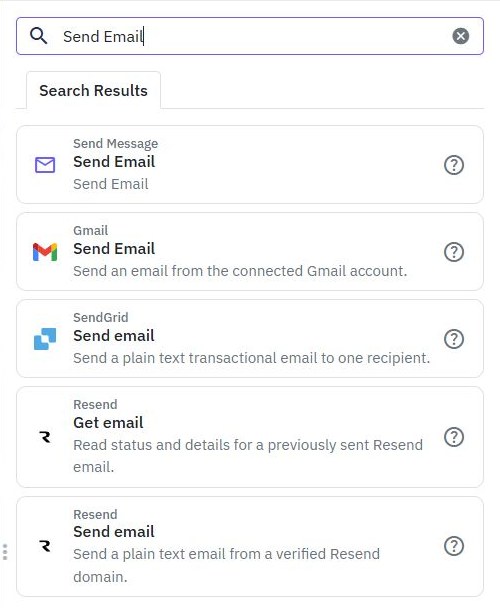
Open the backend workflow and add Send Email. It can use the workspace email settings or Custom Email Settings for a deliberate override. Review the provider host, port and authenticated sender in private settings; verify the provider's current requirements before testing delivery.
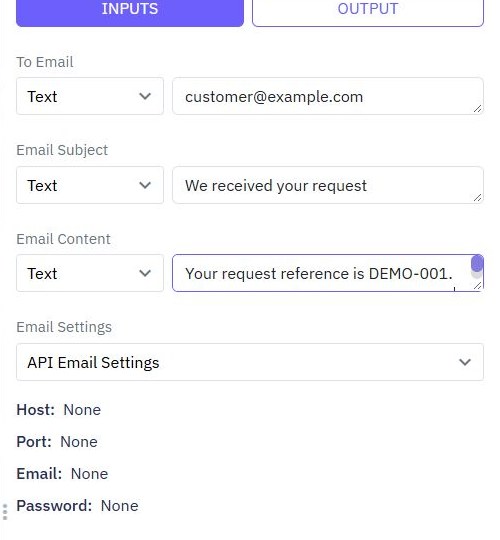
Set the recipient, subject and content using the workflow's value selectors. Prefer an address associated with the authorized customer record rather than allowing arbitrary destinations from an open form. Keep credentials server-side. The external integration guide explains the same separation between frontend inputs and private service configuration.
3. Map a small, useful message
For a request confirmation, use a subject such as We received your request and include its reference and current status. Use the saved record's output, not an unvalidated copy of the submitted body. Check that any generated link uses the correct app host and leads to an authenticated page.
Keep the message focused on what happened and what the customer can do next. Treat customer-supplied text as untrusted when placing it in HTML. Avoid including private internal notes, raw diagnostic errors or authentication values. If the record or destination is missing, stop before sending rather than guessing a recipient.
4. Separate isolated behavior from actual delivery
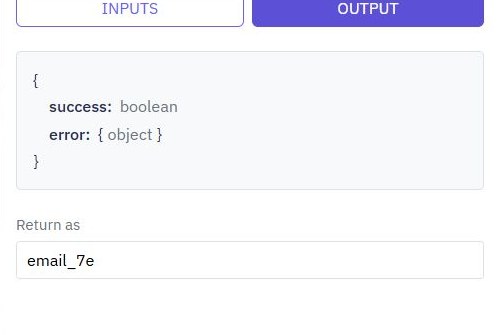
In ordinary isolated testing, Send Email can succeed without sending a real message. Use that mode to inspect command order, safe mappings and the surrounding workflow. A successful isolated result is not proof of inbox delivery. Test suites and live debugging do not support sending email, so use the appropriate ordinary test controls for delivery checks.
For a live check, deliberately choose Use live data only after verifying the sender, controlled recipient and message contents. Confirm the provider accepted the message and inspect the receiving mailbox, including spam placement. Our configuration screenshots do not claim a delivered message. Never retry a live send blindly when an earlier result is uncertain.
5. Preserve the saved action when delivery fails
Keep email outside a database transaction; a rollback cannot unsend a message. Decide what the user should see if their request saved but the notification failed. Avoid returning a generic failure that encourages them to submit the same request repeatedly when the record already exists.
Use a deliberate error path and a stored notification state or outbox design where reliable retry matters. Record a stable message identity and verify how duplicate attempts are handled. Do not promise exactly-once delivery from a simple sent flag: a provider can accept a message before a later local update fails. The debugging guide helps inspect the surrounding workflow without repeatedly contacting the provider.
6. Verify the released notification
Publish the reviewed workflow, confirm its environment-specific sender settings and trigger one controlled end-to-end request. Check the saved record, recipient, subject, content and actual mailbox result. Exercise a provider failure in a suitable test configuration and confirm that the app reports the saved action accurately.
Track delivery outcomes privately and provide a support route when a customer cannot find a message. Revisit provider limits and the sender configuration before increasing volume. For time-based notifications, see scheduled workflows. For application fit and current plan allowances, continue with the backend overview and pricing.
Go deeper
Supporting documentation
Find the configuration details and reference material behind this page.