
1. Define one permitted bulk action
This example lets authorized staff mark selected synthetic tasks complete. Start with three records: two the caller may change and one they may not. Bulk action means one request representing several intended mutations; it does not mean the client may supply arbitrary field names or an unrestricted database query.
Choose an application cap for selected IDs and require an explicit non-empty selection. Treat the cap as your design policy. Decide whether the operation is all-or-nothing or returns individual outcomes. Make that choice before wiring the page button.
2. Accept identifiers and a narrow action
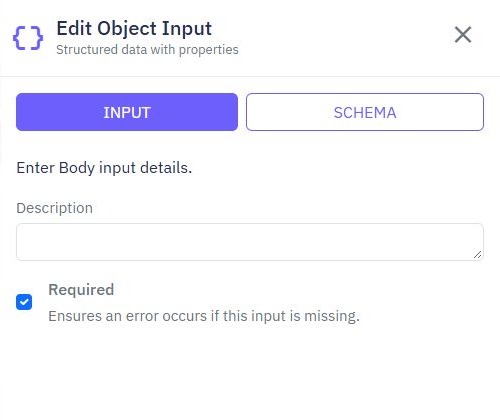
Define a request containing a list of IDs and a fixed action such as complete. Remove duplicate IDs or reject them consistently. Validate count, identifier shape and supported action before a database write. Reject an empty list; it must never fall through to a query matching every record.
{
  "ids": ["SAMPLE_TASK_A", "SAMPLE_TASK_B"],
  "action": "complete"
}
This is a proposed request contract, not a generated API. Resolve identity through the protected endpoint and check the staff role on the backend. Read admin/customer permissions before exposing a staff action.
3. Resolve and authorize every requested record
Read records using the selected IDs combined with the caller's permitted scope. Compare distinct requested IDs with the authorized matches before writing if your policy rejects mixed batches. Handle missing, archived and already completed tasks deliberately.
Do not interpret fewer matches as permission to broaden the query. For a per-item policy, report unavailable items without revealing private record details. A client-side selection list cannot prove access. Review record-level authorization for both reads and mutations.
4. Choose a bounded write strategy
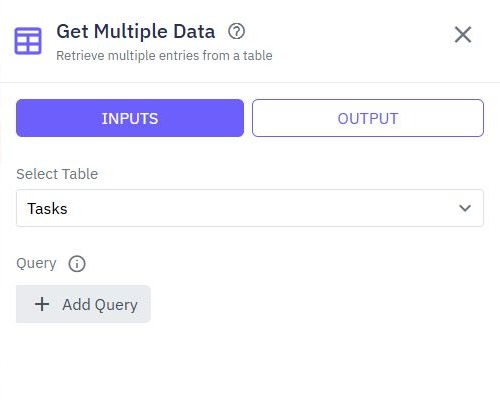
Update Multiple Data can apply a shared change to a filtered set; review the command's filters and allowed fields carefully. A List Loop is useful when each item needs separate logic or a distinct outcome. Keep its input bounded and avoid unbounded nested reads.
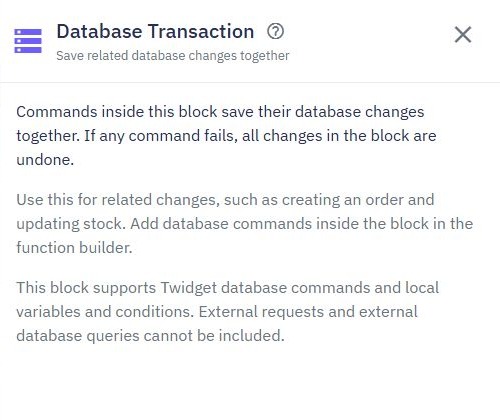
If the batch must commit together, use supported database writes inside a Database Transaction and test rollback in your environment. An ordinary loop is not atomic. Keep notifications and HTTP calls outside the block. The loops tutorial introduces iteration; transaction documentation explains its limits.
5. Return what actually changed
Define whether your counts mean matched records, changed records or successful items. They differ when a task was already complete. Show a summary only from established server results and reload the affected list after success. Avoid saying every item changed when the command returned only an acknowledgement.
Preserve selected items on a recoverable failure where useful. Disable repeat submission while pending and decide whether replaying the same operation is safe. Setting status complete can be naturally repeatable; sending an email or incrementing a balance on every attempt is not.
6. Test mixed permissions and failed writes
Check an empty list, duplicates, excessive count, unknown action, missing record and mixed authorized/unauthorized selection. For each rejected request, confirm no unintended rows changed. In an all-or-nothing design, deliberately fail a later write in a test copy and verify earlier changes rolled back.
Test two overlapping batches and a network retry. Follow multi-step API tests to establish records, invoke the action and read final state. Add audit events if staff need durable history for each changed record.
Go deeper
Supporting documentation
Find the configuration details and reference material behind this page.