
1. Write the permission matrix
Use a request app with two audiences. Customers may create requests and read their own records. Administrators may review requests and change a review status. Write down list, detail, create, edit and delete permissions separately; access to one operation does not imply access to the others.
| Action | Customer | Administrator |
|---|---|---|
| Read requests | Own records | Authorized review scope |
| Create request | For self | Only if explicitly allowed |
| Change review status | No | Yes, with validation |
| Assign roles | No | Separate controlled process |
This is an application policy to implement, not a claim that selecting a starter automatically creates these roles. Begin with customer authentication.
2. Resolve identity and role in the backend
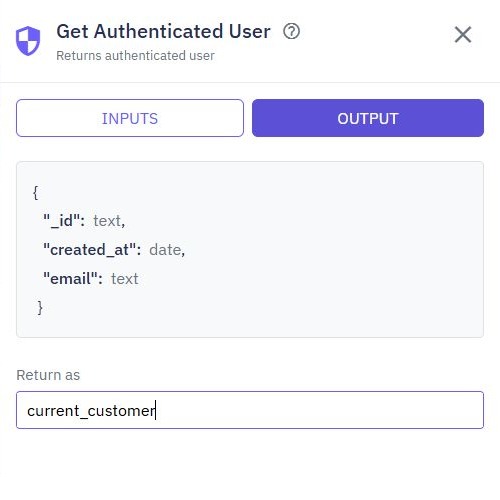
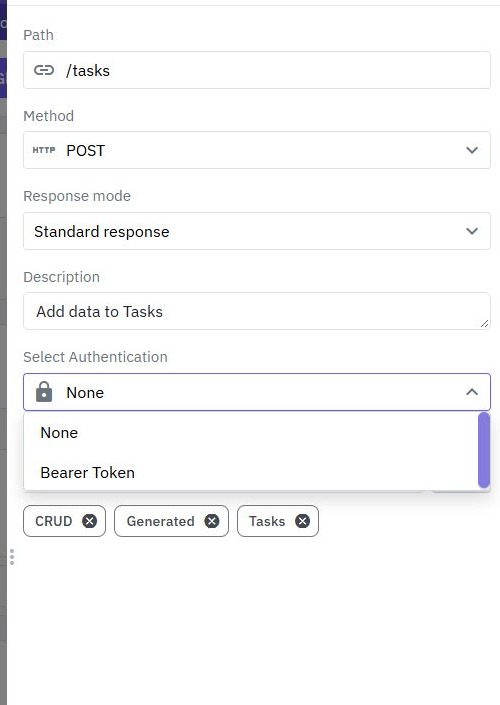
Require the appropriate endpoint authentication and use Get Authenticated User to obtain the verified identity. Resolve its role or membership from a trusted server-side record. If the authenticated output does not include your custom role, perform an explicit lookup using the verified ID.
Do not trust role: admin in a form, header or local storage. Exclude role and permission fields from public signup and profile updates. Default new customers to the least privileged role. Your editor organization role is separate from the application customer's role; signing into Twidget does not prove authorization to a customer endpoint.
3. Enforce checks before reading or writing
For an admin update endpoint, resolve the caller, validate its allowed role, find the permitted request and validate the proposed status before saving. Return only the fields needed by the caller. For customers, combine the requested record ID with the verified owner's ID in reads and updates.
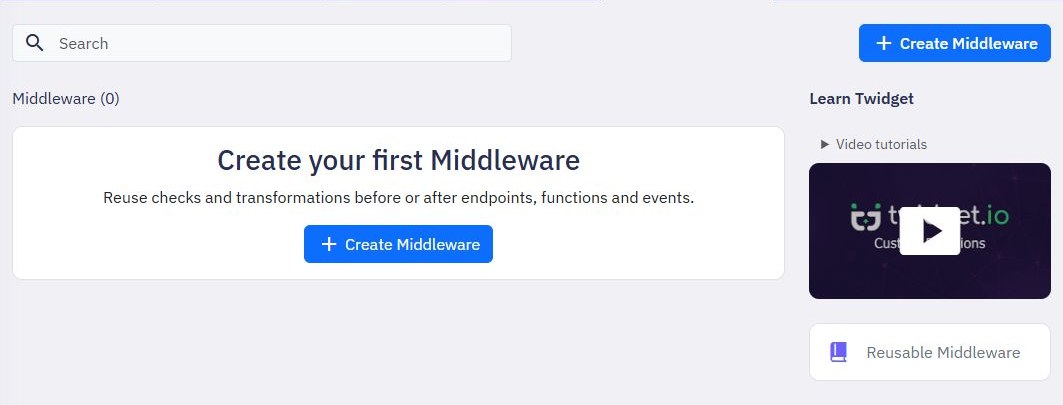
Use Validate or a deliberate condition/error path to stop denied operations. Reusable Middleware can centralize a well-tested shared check, but review its inputs, error behavior and each endpoint's configuration. Keep authorization fail-closed. The ownership guide covers customer scoping; this guide adds a separate staff capability.
4. Reflect permissions in the interface
Show customers their request form and own-record list. Show administrators the review queue and allowed decision controls. Obtain the current user's permitted capabilities from a trusted response, and handle a permission change while the page is open.
Hiding an admin button improves the interface but does not secure its endpoint. A caller can send requests directly. Keep field mapping explicit so an ordinary edit cannot change ownership, roles or review fields. For a complete interface, continue with the customer portal or approval workflow.
5. Test direct requests with multiple identities
Use customer A, customer B, an administrator and a signed-out request. Verify that A cannot list, open or mutate B's records and cannot invoke an admin action. Try a known valid foreign ID and an attempted role field in a normal update. Check the stored data after every rejected mutation.
Remove a synthetic user's privileged role and repeat its admin request to understand when the changed permission takes effect. Check expired or invalid authentication separately. A successful administrator request alone proves nothing about denial behavior. API journey tests can keep these checks repeatable without saving live tokens in screenshots.
6. Publish and maintain the access policy
Review the page controls, backend permission checks and role-management process together. Publish reviewed workflows and repeat the direct-request checks through the actual released endpoint. Keep access-denied feedback useful without disclosing private record details.
Revisit the permission matrix when adding organizations, teams or new admin actions. A global administrator flag may be too broad for a multi-organization app; scope membership to the relevant organization. Keep the role-assignment process separate from customer self-service. The backend tools provide the building blocks, while your application determines the policy.
Go deeper
Supporting documentation
Find the configuration details and reference material behind this page.