
1. Choose a stable matching key
An upsert updates a matching record or inserts one when it does not exist. Use it for a product reference such as DEMO-100, rather than an operation that must always create a new business event. Prepare a synthetic table and choose the matching scope: a shared product code and an organization-scoped code are different keys.
Define normalization before looking for a match. Decide whether spaces and case matter and apply that rule consistently before storing and querying the key. Do not use a mutable display name when an external reference or stable code identifies the record. Review CSV import if the records originate in a file.
2. Enforce the intended uniqueness
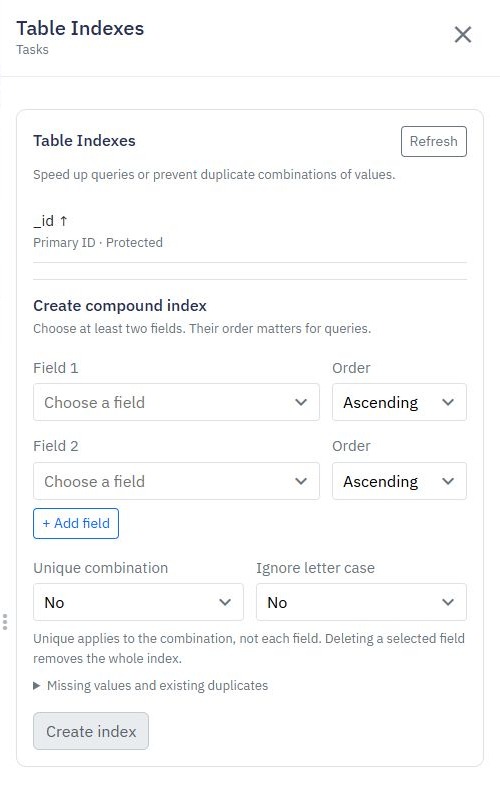
Create an appropriate unique index for the normalized business key, including organization scope where needed and supported by your schema. Inspect existing data for duplicates before applying the index. A read-then-insert check can race under simultaneous requests.
If several old records already match a key, resolve that ambiguity deliberately; an upsert should not silently select whichever row happens to appear first. The index documentation explains the database control. An index's actual fields, null behavior and existing data must be tested for your contract.
3. Configure Add or Update Record
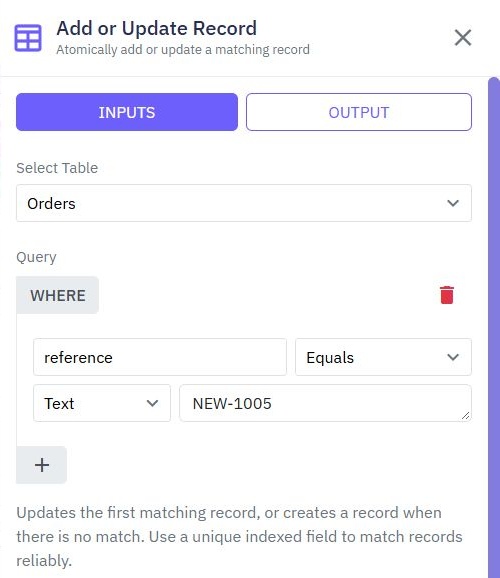
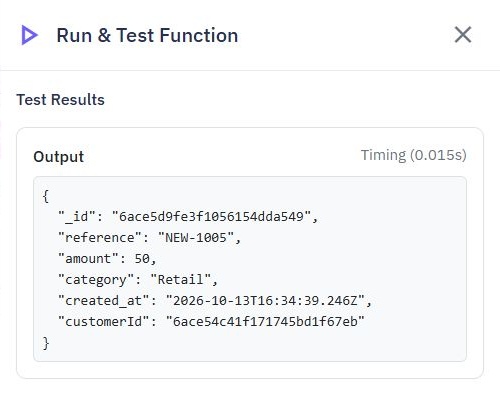
In a protected endpoint or backend function, add Add or Update Record. Select the table, configure filters that identify one permitted record, then supply the values to save. The maintained command documentation shows an example matching an order reference and returning the saved order.
{
  "code": "DEMO-100",
  "name": "Sample notebook",
  "price_minor": 1250
}
This is an illustrative input fixture, not the documentation's captured order. Map only allowed mutable fields. Do not let the browser choose owner, organization or administrative flags through a whole-object save.
4. Decide what omitted and null fields mean
An insert and update may need different defaults. Decide whether a missing description preserves the old value, resets it or fails validation. Do the same for explicit null, zero and an empty string. Configure and test the command's actual mapping rather than assuming one interpretation.
Preserve creation metadata and apply update metadata from backend context. Do not equate finding an existing record with authorization to overwrite it. Use the caller's permitted scope in both the match and mutation paths, and return only the fields the caller may read.
5. Distinguish repeatable state from repeated side effects
Repeating an upsert can converge on the same product state, but a later request can still overwrite a newer value. Decide how to handle ordering or source versions when updates arrive out of order. A unique key prevents duplicate identities; it does not decide which content wins.
Do not send an email or increment a balance on every repeat unless that is intentional. Webhook deduplication is a separate problem: follow duplicate webhook processing for event receipts and side-effect boundaries. An upsert is not a blanket exactly-once guarantee.
6. Verify first insert, update and competing requests
Submit DEMO-100 once and record its identifier. Submit it with a changed permitted name, then read back the row and verify one identity remains. Test a missing key, duplicate legacy rows, invalid amount, omitted field and explicit null.
Submit the same normalized key concurrently from two controlled requests and inspect row count, errors and final values. Try the key in a different customer scope. Add audit history where provenance matters, and verify the published endpoint separately from the builder's isolated test.
Go deeper
Supporting documentation
Find the configuration details and reference material behind this page.