
1. Choose a counter with a clear mutation rule
This example changes a synthetic product's available quantity. Begin with a Number field and a known value, such as 10. Decide who may change it, whether the amount must be an integer, whether negative balances are allowed and what a missing product means.
A counter is not automatically an inventory ledger or a financial balance system. Use the inventory app guide for movement history and broader stock policies. This page focuses on the command that applies a numeric delta without a separate application read and replacement write.
2. Use the dedicated numeric command
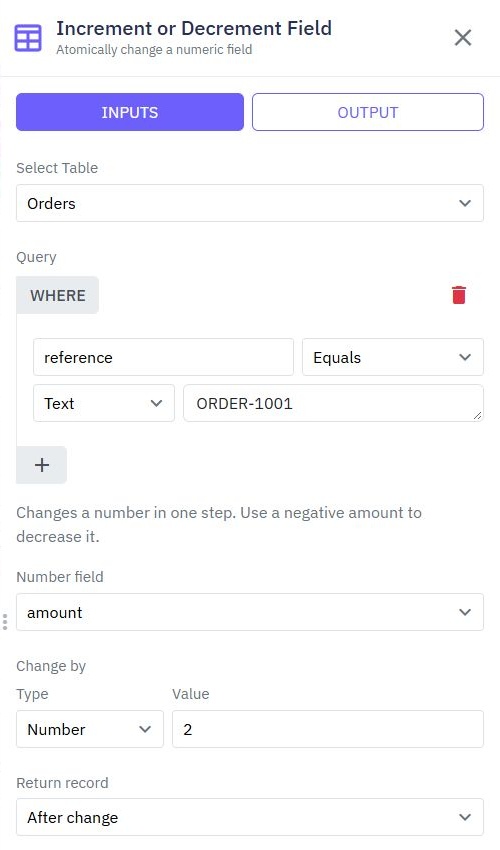
In the backend workflow, add Increment or Decrement Field. Choose the table, the permitted record filter and the numeric field. Set Change by to the allowed amount: positive values increase it and negative values decrease it. Review which return mode supplies the value your response needs.
The maintained documentation shows a synthetic order matched by reference and an amount changed by 2, returning the record after the change. That capture demonstrates the control; it does not prove the stock fixture in this guide or every concurrency boundary.
3. Validate a narrow action and authorize the target
Expose a defined action such as reserve one unit rather than accepting any field name and arbitrary delta from the browser. Resolve identity, load or match the permitted target and validate the application policy before a write. Check integer and magnitude bounds where your counter requires them.
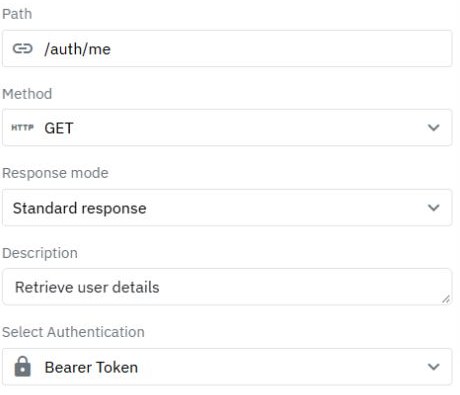
Map the actual record filter explicitly. An empty or incomplete filter must never broaden a single-product operation. Handle a missing record according to the contract and return a safe error. Review request validation and staff permissions before enabling stock changes.
4. Test the invariant, not just the arithmetic
A direct increment avoids the obvious lost-update pattern of reading 10 twice and writing 11 twice. It does not establish a no-negative-stock rule by itself. A separate read that sees one unit available can become stale before a decrement.
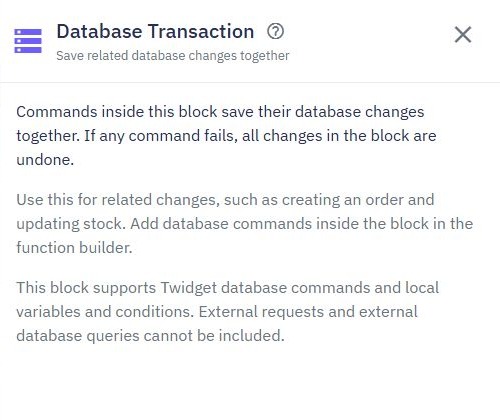
Design a conditional mutation, serialization or other supported strategy appropriate to your invariant, then test competing requests. When a stock change and an order must commit together, use supported database writes in a Database Transaction and test rollback. A transaction should not be described as proof of every concurrency property without the actual boundary test.
5. Prevent replay from applying the delta twice
Incrementing by 1 is not idempotent: repeating it applies another change. If a delivery, payment or reservation has a stable event/request ID, design an application receipt and enforce its uniqueness so retries do not blindly reapply the delta. Keep the receipt and supported database mutation together when the consistency contract requires it.
See webhook deduplication for that separate workflow. Keep external messages outside database transactions, and reconcile a timeout before telling a caller to repeat an uncertain mutation. A success status alone does not establish that the browser knows the final counter value.
6. Verify totals, rejected changes and rollback
| Fixture | Check |
|---|---|
| Start 10, add 2 | Stored result is 12 |
| Start 10, apply ten accepted +1 changes | Stored result is 20 |
| Start 1, submit two reservations | Your defined no-negative/oversell policy holds |
| Retry one stable event ID | The event policy prevents an unintended second delta |
Use synthetic data and inspect storage after each case. Deliberately fail a later supported transaction write in a test copy and verify rollback. Repeat against the published workflow before describing it as a demonstrated inventory operation.
Go deeper
Supporting documentation
Find the configuration details and reference material behind this page.