
1. Separate products from stock movements
Use a products table with sku, name, quantity and reorder_level. For a small example, start with ten sample notebooks and a reorder level of three. Store quantities as numbers, not formatted text. Define whether fractional units are allowed before choosing validation rules.
Create a stock-movements table with the product reference, signed quantity change, reason and actor reference. This gives an adjustment context that a single editable balance cannot provide. Add a unique SKU rule where appropriate and verify it with a duplicate attempt. The related-data guide explains references between tables; a reference field alone does not enforce every database invariant.
2. Review an inventory starter
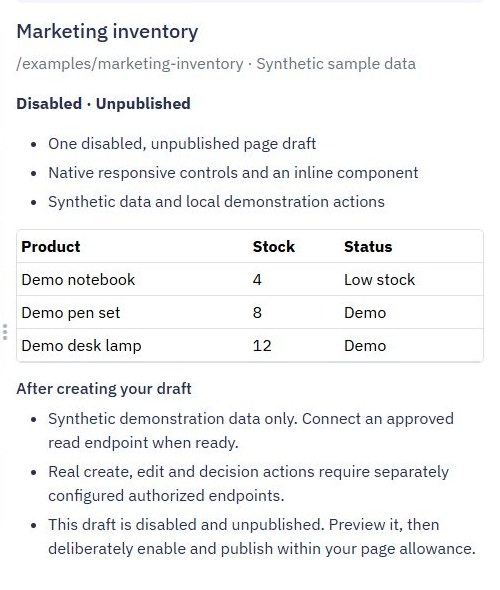
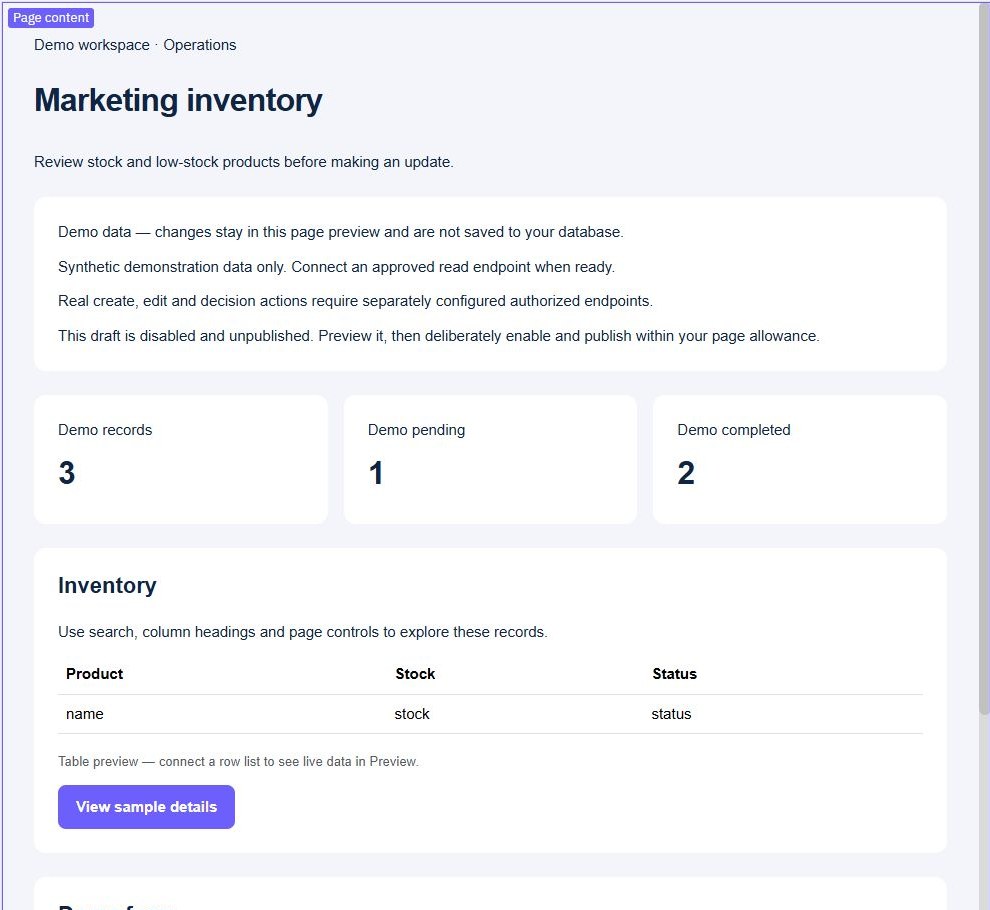
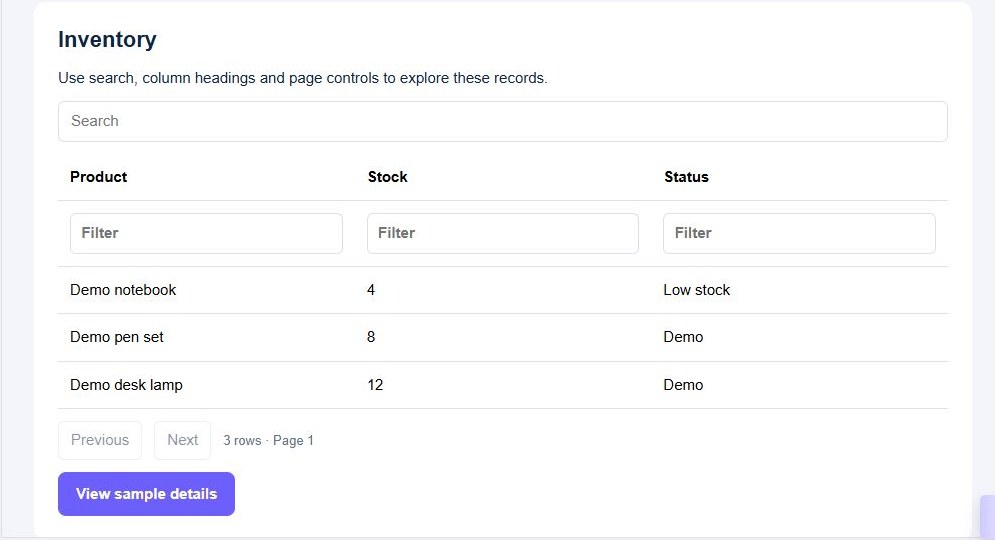
Open Pages → Create Page → Page starters → Inventory, name the draft and review it with synthetic data. Inspect the product list, stock labels and sample detail/form controls. The starter is a disabled, unpublished interface; its demonstration actions do not maintain a production stock ledger.
Use Preview to search for a product and inspect the response when no product matches. Keep loading and failure feedback separate from an empty catalogue. When replacing the sample list, connect a bounded product read endpoint and map its actual fields into the table. Follow filtering and pagination instead of loading an entire growing catalogue.
3. Validate an adjustment in the backend
Create a protected adjustment endpoint with a product ID, numeric change and reason. Obtain the staff identity from authentication. Reject a missing product, an invalid quantity or a caller without stock-edit permission before writing. Do not accept an arbitrary replacement balance from an ordinary adjustment form.
Define the negative-stock policy explicitly. If stock must stay nonnegative, that condition must remain correct under concurrent requests, not just a single preview. Choose a supported conditional update or coordination strategy and test two competing decrements. The validation guide covers input checks; it does not by itself establish concurrency safety.
4. Save the movement and balance together
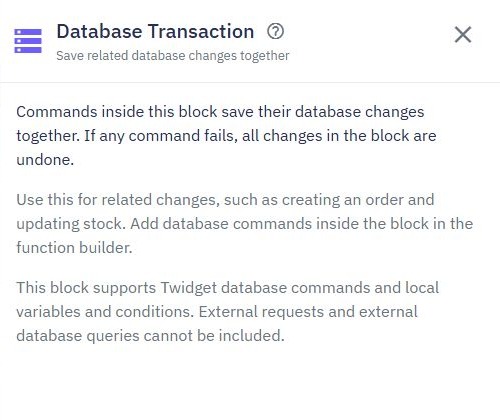
Use Database Transaction for supported database work that must complete together. Place the movement record and balance change inside Save changes together, using the relevant database commands. Keep email and other external actions outside the block. A transaction groups writes; a stale read followed by a write still needs a deliberate concurrency policy.
Test a successful adjustment of minus two: ten units should become eight with one corresponding movement. Deliberately fail a validation inside the block and verify that neither a partial movement nor a changed balance remains. For client retries, use a persisted adjustment identity and a verified uniqueness rule so the same intended change is not applied twice.
5. Add low-stock and adjustment feedback
Define low stock as quantity less than or equal to the product's reorder level, if that matches your operation. Calculate the result on the server using a supported query or deliberate derived field. With eight units and a threshold of three, the sample product is not low stock. Check the exact boundary at three and the empty list when nothing qualifies.
After a successful adjustment, reload the balance and recent movements. Disable duplicate submission while a request is pending, but retain server-side retry protection. Display a rejection without pretending the balance changed. Use the dashboard guide for consistent counts rather than calculating stock totals from one paginated browser list.
6. Test the inventory lifecycle before release
Check a normal receipt, an issue, a duplicate SKU, a missing product, an unauthorized adjustment, a repeated request and competing decrements. Confirm both the endpoint response and stored records. Reconcile the movement history against the balance for your chosen opening-stock policy.
Publish the reviewed interface and endpoints together, then repeat the checks through the released version. The screenshots illustrate the starter and its local preview; a connected stock ledger needs the backend checks described here. For the wider platform fit, see the internal tool builder. Add approval rules if some adjustments require a separate reviewer.
Go deeper
Supporting documentation
Find the configuration details and reference material behind this page.