

Choose the development approach you want to own
Evaluate Twidget when you want to assemble backend operations and browser pages through a visual interface. Evaluate Supabase when your team wants to work directly with Postgres, SQL access policies and code-based application development. Neither choice removes the need to design data permissions and test application behaviour.
Official documentation and pricing were checked on . This is a comparison of documented approaches, not an independently measured performance or security ranking. The links let you inspect the capabilities and current plan details yourself.
The important distinction is how you express your application's rules. In a visual backend you work with configured commands and endpoint workflows. With Supabase you can combine database policies, database functions and server-side code. Your team's comfort with those tools should shape the decision.
Use a private task manager as the comparison project
Define one small application: users sign up, log in, create tasks and change their status. Tasks belong to individual users. The frontend displays a form, a list and useful errors. The evaluation is complete only when one signed-in user cannot read or change another user's tasks.
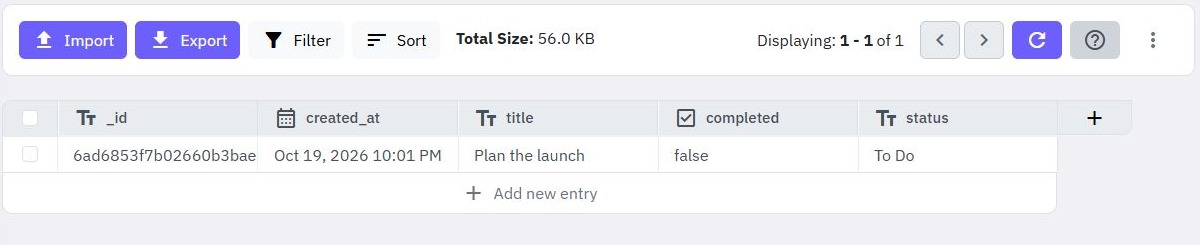
In Twidget, create the data tables, generate task endpoints and configure authentication. Review and adapt the command workflows so reads and writes check task ownership. Connect the API to a form and list through Pages, or an external frontend. The API builder and task-management guide show that application path.
In Supabase, create a Postgres tasks table and associate records with authenticated users. Configure the required database privileges and Row Level Security policies, then connect the frontend using a client library or the Data API. Its REST API documentation explains how database schema becomes an API; the application still needs deliberate access rules.
For both approaches, test missing credentials, invalid status values and another user's task identifier. Keep the test data and acceptance criteria the same. This tells you more about suitability than comparing how quickly you can display an unrestricted table.
The practical differences, with sources
| Decision | Twidget | Supabase |
|---|---|---|
| Create the data API | Generate CRUD endpoints and edit the commands behind them. CRUD documentation | Use a REST API generated from the database schema. Data API documentation |
| Authenticate and restrict access | Configure bearer-protected endpoints and implement ownership rules in the workflows. Authentication documentation | Combine Auth with database access policies. Auth documentation and Row Level Security |
| Add custom backend behaviour | Configure endpoint inputs, command sequences and outputs. Custom endpoint documentation | Use Postgres database functions or TypeScript Edge Functions. Database functions and Edge Functions |
| Build the browser interface | Create Pages with forms, variables, functions and API-connected content. Pages documentation | Connect the frontend you build or select to the backend services. Connection guidance |
When Supabase may be the better fit
Supabase is a strong candidate when direct Postgres access, SQL or database extensions are explicit requirements. Its database documentation describes a full Postgres database and visual, SQL and programmatic ways to work with it. A team already comfortable with that ecosystem can evaluate those capabilities directly.
If live collaboration or presence is central to your application, investigate Supabase Realtime, including its database-change and messaging options. If infrastructure ownership is a requirement, examine its self-hosting documentation and the operational work that comes with it. These are specific reasons to shortlist Supabase; they do not establish that every app needs those features.
Twidget deserves a trial when you would rather express endpoint logic as visual command workflows and connect it to pages in the same project. Explore the backend overview and web app builder, then test your real form, permissions and error states. Confirm any specialist database, realtime or deployment requirements separately before choosing.
Budget for the application and its maintenance
Use Twidget pricing and Supabase pricing to model your expected workload. Include storage, bandwidth, active users, functions, compute and any frontend services that apply to your design. Supabase's billing FAQ explains compute and egress considerations. Compare the relevant plan and usage assumptions instead of treating either free tier as a production budget.
Also compare the next maintenance task. Can your team safely add an owner filter, change a data field and release an updated form? Who will review access policies or visual logic? What happens when an external request fails? Run through those questions before migrating existing users or data.
To try the visual route, follow the REST API tutorial and signup and login guide. Browse the complete guides when you are ready to connect the interface. Choose on the basis of an application you understand, including the rules that keep its data private.
Go deeper
Supporting documentation
Find the configuration details and reference material behind this page.