
Choose around the process your team already runs
Shortlist Twidget when you want to build tables, API command workflows and browser pages together. Shortlist Retool when connecting existing operational systems, governing a team of builders and users, or choosing deployment infrastructure is central to the decision. These are starting points for evaluation, rather than exclusive capabilities.
This comparison checks official documentation on . The project below is an evaluation brief, not a claim that we implemented it in both products. Explore the Twidget internal tool builder alongside the linked Retool sources.
Give both products the same request-review task
Use a small purchase-request queue. A requester submits an item and an amount. A reviewer sees pending requests, records an approval or rejection and adds a reason. Requesters see their own history; staff see only the records their role permits. Use synthetic records and separate requester and reviewer accounts.
Require the same checks in each implementation: reject a missing amount, prevent a requester approving their own request, refuse an already-decided transition and preserve the decision history. Include two reviewers trying to decide the same request. A table and an Approve button are only the interface; the write operation must enforce the rule.
The Twidget approval guide provides the data and transition design. Start with that specification so a visually appealing draft does not change the acceptance criteria.
1. Decide where the data and write rules belong
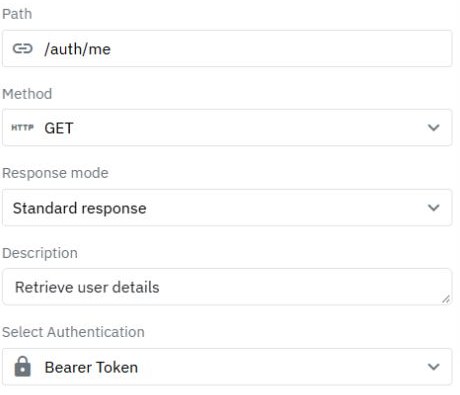
In Twidget, create the request data model and configure the list and decision endpoints. Read the authenticated identity on the server, scope the list and explicitly map fields the caller may change. Connect the page only after those operations behave correctly. The CRUD foundation helps you inspect generated operations before adapting them.
Retool supports API and database resources, and also offers managed services including Retool Database, a managed PostgreSQL database. Existing data does not have to move into Retool to appear in an app. Its data-source documentation explains these options. Evaluate the actual connection and query permissions required by your system.
If the company already has an authoritative purchasing API, reuse its authorization and transition rules. If you create those rules inside the new application, document which layer owns them and how other clients will access the same process.
2. Build a review interface you can maintain
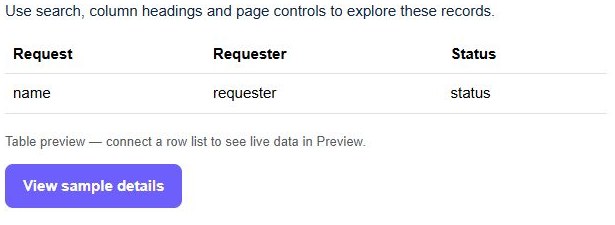
In Twidget, start with a records-management page or another suitable layout, then connect a bounded list, a detail view and the permitted actions. A starter's synthetic rows demonstrate layout; they do not prove that a backend decision was saved. Use the portal guide when requesters also need a separate self-service view.
Retool's current app-builder documentation describes prompting an AI agent to produce a React-based app connected to resources. Its classic-app documentation covers the original drag-and-drop editor and identifies the new builder as the recommended experience. Choose the experience you are actually evaluating; older tutorials may show different editing controls.
In either product, make one deliberate change after the first draft: add a rejection reason, disable duplicate submissions and show a failed-save state without losing the entered reason. Check that the next maintainer can locate the data binding and the decision logic.
3. Test organization access and record access separately
There are two permission questions: who may open or edit the tool, and which business records an end user may read or change. Granting someone access to an app does not by itself establish a customer or department boundary in the data returned to it.
Retool documents group, role and object-access controls, with availability depending on the plan. Check its permissions overview against the exact environment and account you will deploy. In Twidget, implement the corresponding business rules in protected endpoints; the admin and customer permissions guide shows how to separate identities and allowed actions.
For both implementations, call the decision operation directly with an unauthorized identity and another user's known record ID. Confirm that no change occurs. Hiding a control is useful interface feedback, but a direct request still needs a server-side decision.
4. Review automation and release requirements
If a decision triggers a scheduled reconciliation or an external notification, evaluate that operation separately from the page. Retool's Workflows documentation describes connected query blocks and schedule or webhook triggers. Follow the Twidget email guide for the distinction between saving a decision and attempting delivery.
Test a failed notification and a repeated request. Decide whether the application needs an outbox, a retry process or manual reconciliation; a workflow editor does not establish exactly-once delivery. For Twidget changes, use the API testing guide and Dev-to-Production release guide to define the checks and resource boundaries before enabling the tool.
Compare deployment and the complete operating cost
Retool documents self-hosted deployment options, including Retool-managed and self-managed approaches. That makes it worth investigating when infrastructure control is an explicit procurement requirement. Confirm feature availability and operational responsibilities for the proposed deployment, rather than assuming that every cloud feature behaves identically.
Use Twidget pricing and Retool pricing with a realistic inventory: people building apps, internal users, external users where needed, environments, storage, workflow activity and AI use. Retool's pricing distinguishes builder and internal-user categories and lists plan-dependent controls. Check the live terms for your region and billing period; this page does not calculate a cheaper provider.
Also budget for maintaining data permissions, failed operations and future changes. If your team needs a contractual control, ask the provider to confirm it for the specific plan before moving operational data.
Choose after a small working trial
Retool deserves particular attention when existing data connections, organization governance or documented self-hosting options are deciding requirements. Twidget deserves a trial when you want to inspect a connected table, endpoint workflow and page in one visual building process. Neither conclusion replaces testing your required integration and access rules.
Keep a short scorecard: can the permitted user finish the task, can a forbidden user bypass it, can a second builder explain the logic, and can you release one safe change? Begin the Twidget trial with the approval workflow or internal-tool overview. Compare a working process you can operate, rather than the length of a feature checklist.
Go deeper
Supporting documentation
Find the configuration details and reference material behind this page.