
1. Separate approval from buying
Build an internal request for permission to buy equipment or supplies. The example is a request for two demo monitor stands at 35.00 each. Approval authorizes a next step under your process; it does not itself place an order, pay a supplier or prove goods were received.
The internal tool builder connects the staff interface to the request data and review endpoints. Start with one currency and a simple requester/reviewer policy. Decide whether reviewers may approve their own requests and whether a threshold requires a second reviewer. The existing approval workflow guide covers the general decision lifecycle. Here the additional work is itemized cost calculation, locked submitted amounts and a clear purchasing boundary.
2. Model request headers and line items
Create a request header with requester reference, purpose, currency, status and submitted timestamp. Create line items linked to it with description, quantity and unit price. Store a decision history separately. For the first version, accept positive whole-number quantities and one supported currency with two decimal places.
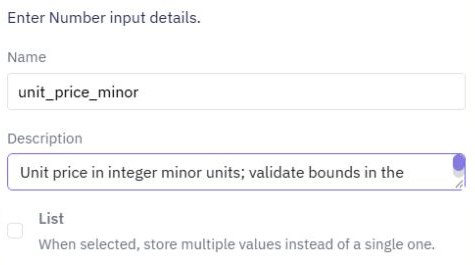
Represent amounts in integer minor units: 35.00 becomes 3500, so two units total 7000. Validate bounds before multiplying and sum line totals on the server. Do not accept a browser-supplied total as authoritative. If you support currencies with different decimal rules, taxes or exchange rates later, define and test those rules separately. Keep illustrative totals distinct from an approved accounting calculation.
3. Create the request and reviewer views
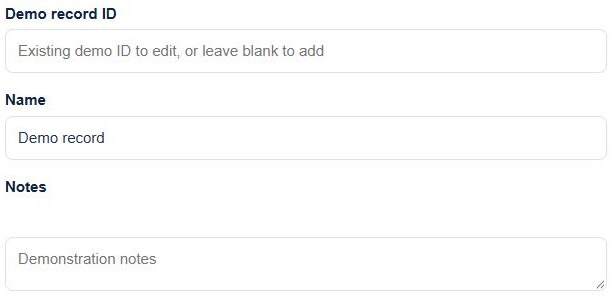
Build a form for the purpose and line items, or begin with a single-item request if repeating inputs would complicate the first version. Show quantity, unit price, currency and calculated total together. Use the multi-step form guide to separate details from a review screen when needed.
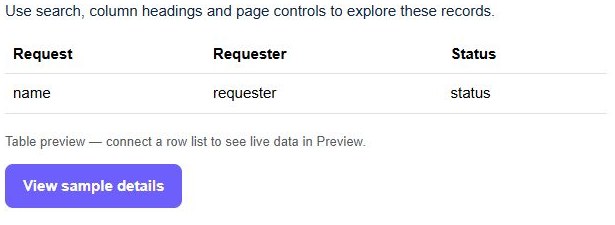
For the review queue, adapt an Approvals page starter after reviewing its synthetic-data draft. Its sample approval actions are local demonstrations. Replace them with calls to protected endpoints, and give the reviewer access to the saved item lines and supporting context before deciding.
4. Save a stable submitted amount
The submit endpoint authenticates the requester, validates every line, computes the total and changes a valid draft to pending. Prevent edits to submitted lines unless the request is deliberately returned to draft and its previous review is invalidated. Otherwise a reviewer could approve a different amount from the one they saw.
If header and line writes must succeed together, use supported transaction behavior and verify rollback with a deliberate failure. The reviewer endpoint checks permission, the current request state, the saved total and any threshold policy on the server. A hidden approve button does not enforce a spending rule. Follow backend permission checks for each action.
5. Verify totals and decision boundaries
For the synthetic fixture, the expected stored total is 7000 minor units, displayed as 70.00 in the selected currency. Test missing lines, zero or negative quantity, invalid unit price, unsupported currency and a tampered browser total. The server should reject invalid values or compute the correct supported total without trusting the supplied aggregate.
Test requester self-approval where forbidden, a threshold-boundary amount, an attempted line change after submission and two reviewers deciding the same request. Reload the header, lines and decision history after each accepted action. These are acceptance checks to execute before operational use; sample previews do not establish financial controls or concurrent decision safety.
6. Make the purchasing handoff explicit
Show approved and rejected requests in a completed view with the saved decision, reviewer and timestamp. If procurement records an order reference, keep that as a separate staff action with its own permission; do not silently mark an approved request as ordered or received.
Release the reviewed page and endpoints together. Check one request from draft through decision and verify that the requester can see the outcome. Use a controlled CSV export for a purchasing handoff, and connect inventory movements only when goods actually arrive under a separately verified workflow.
Go deeper
Supporting documentation
Find the configuration details and reference material behind this page.