
1. Define the ticket lifecycle and audience
Build a small support workflow: a signed-in customer submits an issue, a staff member takes ownership, and the customer receives a reply. Use TKT-001: Example order question as a synthetic fixture. Start with open, in_progress and resolved; decide whether a new customer reply reopens a resolved ticket.
A ticket system has two audiences. Customers should see their own tickets and public replies. Staff may need an assigned queue and private operational notes. The customer portal guide covers the customer shell; this guide focuses on tickets, replies and queue behavior rather than repeating the portal setup.
2. Model tickets, replies and internal notes
Create a tickets table with subject, customer reference, assigned staff reference, status and creation date. Create replies with a ticket reference, author reference, message and timestamp. Keep internal notes in a separate table or use an explicitly protected server-side projection that never returns them in a customer response.
Do not accept a caller-supplied author or customer identity as authority. Resolve it from authentication. If a customer belongs to an organization, verify membership before allowing organization-wide ticket access. Use a synthetic public reply and a clearly different internal note so an accidental leak is easy to spot during testing. The ownership guide explains filtering with the authenticated user.
3. Build a staff queue and customer form
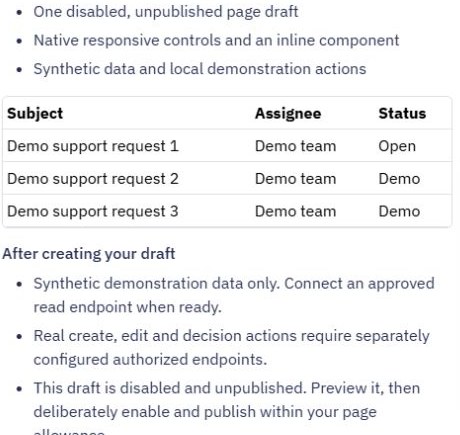
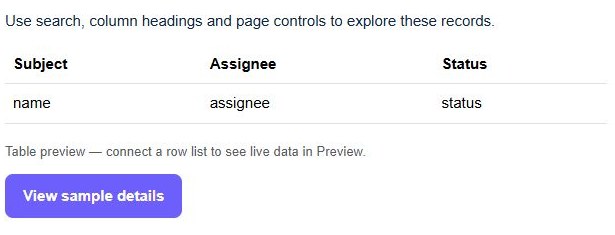
Use Pages → Create Page → Page starters → Records manager for a queue layout. Review the draft with synthetic records, then adapt columns to ticket subject, status and assignment. The starter does not supply a help-desk backend. Connect approved endpoints after reviewing the layout.
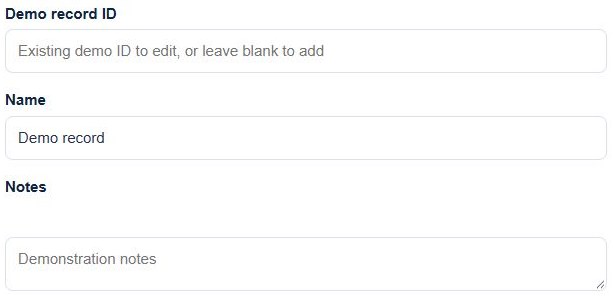
Create a customer submission form with a subject and message. Keep attachment handling separate until upload and retrieval permissions are verified. In ticket details, label public reply and internal note actions explicitly. Avoid one ambiguous message box whose visibility changes without a clear indication.
4. Connect assignment, replies and resolution
Build a customer-scoped list/detail endpoint and a customer reply endpoint that verifies ownership of the ticket. Build staff-only endpoints for assignment, internal notes and status changes. Validate message length and permitted status transitions on the server, then reload the stored conversation after a successful reply.
Return only public reply fields in the customer conversation. Hiding an internal note in the page still exposes it if the API returns it. If you add email notifications, send after saving the reply and verify delivery separately. A ticket saved successfully must not appear unsaved merely because a notification failed.
5. Test the two sides of the conversation
As customer A, submit a ticket and add a reply. As a permitted staff account, assign it, add an internal note, post a public reply and resolve it. Back as customer A, confirm the public conversation and current status after reload. Customer B must not obtain that ticket by supplying its known ID directly.
Check the actual response payload for internal-note text. Also test a signed-out reply, invalid status, empty message and retry after an uncertain save. A repeated click can create duplicate replies unless the save has deliberate retry handling. These are release acceptance checks; the configuration captures do not claim that this complete multi-account journey was executed.
6. Make queue behavior predictable
Give staff a bounded list filtered by status or assignment, and show a useful empty state when no work matches. If resolved tickets disappear from the default queue, provide a completed view so staff can find them again. Document the policy for reopened tickets and mistaken replies.
When a queue is empty unexpectedly, compare the stored assignment/status, the endpoint's filter and the frontend mapping in that order. Before release, use saved API journeys for allowed and denied actions. If your team also tracks prospects, keep sales stages in a separate simple CRM rather than treating every ticket as a deal.
Go deeper
Supporting documentation
Find the configuration details and reference material behind this page.