
Start with one useful customer journey
A portal works best when a customer can complete a clear task: submit a service request, check its status and open the relevant details. Begin with that journey before adding dashboards, billing or complex organization accounts. Decide which information belongs to the customer and which notes remain internal.
Twidget provides a visual page editor alongside database tables, API workflows and authentication. Connect those pieces to your process rather than collecting disconnected forms and spreadsheets. The customer portal guide walks through the implementation; this page helps you evaluate the approach and the work involved.
Review a portal layout before connecting data
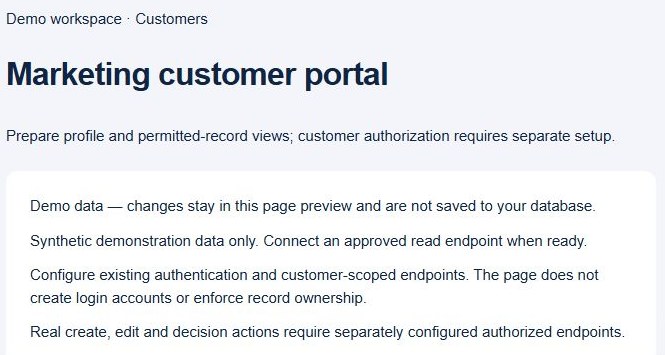
Open Pages, choose Create Page, then Page starters and Customer portal. The starter offers a layout with synthetic records and demonstration actions. Review the draft before creating it; a starter produces a disabled, unpublished page that you can inspect in Preview.
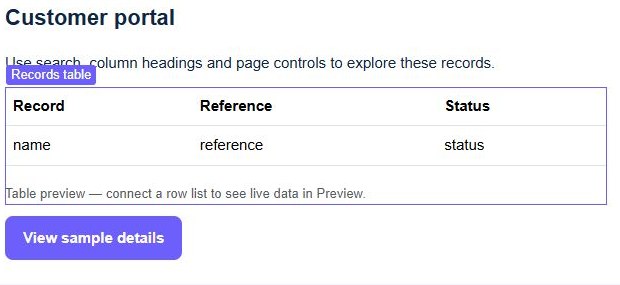
Use the sample to evaluate the table, details and form. Replace generic labels with terms your customers recognize and keep the next action obvious. The sample data helps you review the interface, but does not create customer accounts, persist requests or enforce permissions. Connect each of those deliberately before sharing a portal.
Keep customer access in the backend
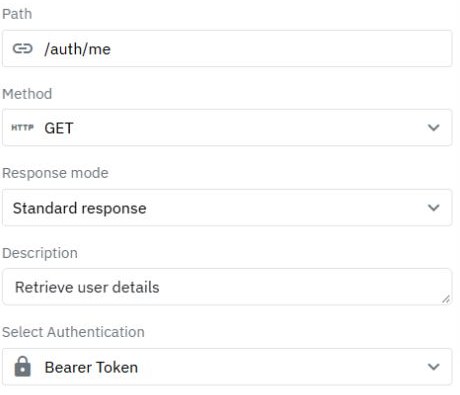
Login identifies the person making a request. Your protected endpoints must then decide which records that person can read or change. Derive identity from the verified session and scope list, detail, update and attachment operations to that identity. Hiding another customer's rows in a browser table does not protect the response.
Follow the record ownership guide and staff and customer permission guide. Organization-wide access requires membership rules as well as an account. Keep internal notes and staff-only decisions out of customer responses. A starter is a starting interface, not a completed authorization system.
Connect requests, files and useful feedback
Map a submission form to a validated write endpoint. Set ownership on the server, show success after the backend confirms the save, then reload the relevant list. Preserve entered values after a failed request. Use pagination for longer histories and show an understandable empty state for a new account.
Add attachments only after upload and retrieval permissions are checked. For support workflows, build on the ticket-system example. Use transactional email for a deliberate notification after a saved change, with separate delivery testing.
Evaluate the fit with two test customers
Try your real journey with synthetic accounts before moving customer information. Confirm that customer A cannot retrieve customer B's record by calling its endpoint directly, then repeat signed out and with an expired session. Check invalid inputs, empty results, failed writes and private file retrieval. Test the published journey separately from the editor preview.
This approach suits teams willing to model data and maintain workflows and access rules. A packaged portal may fit better when it already supplies your required industry process. Check current plans and allowances, assign an owner for future changes and use the release guide when separating development and production.
Go deeper
Supporting documentation
Find the configuration details and reference material behind this page.